


Expert materials
Stay tuned for the latest trends and updates in the IT industry. Learn the best practices and expert opinion on the software development and modernization from our technical specialists.
Latest article
A modernization proposal for a regional health system's scheduling platform lands on your desk. It lists fourteen services, a Kubernetes migration plan, and one sentence in the security section: all components will be compliant with the Health Insurance Portability and Accountability Act (HIPAA).
In the review meeting, nobody can say which of the fourteen services will receive a patient name, a date of birth, or an appointment record. Security wants to freeze the legacy system until someone can. Engineering wants to start on Monday.
Sound familiar? Both sides are missing the same thing: a map of where electronic protected health information (ePHI) travels. What keeps these projects stuck is the fear that touching old code will break compliance.
Read on to discover how to keep PHI risk flat as the architecture improves.
Why is “if it's compliant now, don't touch it” a costly instinct?
The instinct is understandable, because a system that survived its last audit feels proven. It is costly because a legacy healthcare system left unchanged still accumulates risk, as the vendors, identities, integrations, and data copies around it keep changing.
The U.S. Department of Health and Human Services (HHS) Office for Civil Rights (OCR) enforces HIPAA, and its 2026 settlements show where liability lands. In the cases against MMG Fusion, four ransomware victims, and OSF Healthcare System, breaches from 2020 and 2021 led to penalties years later, and each organization lacked an accurate risk analysis when the incident hit.
Breach economics point in the same direction. IBM's Cost of a Data Breach 2026 puts the average healthcare breach at $6.64 million, the highest of any industry for the 15th consecutive year.

Source: Verizon 2026 Data Breach Investigations Report
A freeze leaves every one of those entry routes open. Three places deserve a look this week, whatever your modernization plan says:
- Remote access portal: is multi-factor authentication (MFA) enforced on every path in, including vendor and service accounts?
- Patch backlog: which open vulnerabilities appear in the Cybersecurity and Infrastructure Security Agency (CISA) Known Exploited Vulnerabilities catalog, and who owns each one?
- Login pages: do they lock out repeated failures and sit behind current identity tooling, or do they still run on the original authentication code?
None of these checks requires rewriting business logic or touching a patient record.
What is PHI, and which parts of a system carry compliance risk?
Protected health information (PHI) is individually identifiable health information, such as a name, date of birth, medical record number, diagnosis, or appointment detail, held or transmitted by a covered entity (a provider, health plan, or clearinghouse) or its business associate. ePHI is the electronic form. The PHI boundary is the set of systems, interfaces, logs, backups, and data copies where ePHI is created, received, stored, or transmitted.
Three activities create compliance risk inside that boundary:
- Storage: databases, file shares, backups, and archives that hold ePHI at rest.
- Access: authentication, authorization, and session handling that decide who reaches ePHI.
- Transmission: interfaces, APIs (application programming interfaces), message queues, and exports that move ePHI between systems.
Everything else can be modernized without ever crossing the boundary, provided the data-flow map confirms no ePHI passes through it. That usually includes the user interface (UI, the pages, forms, and scripts people see and click), business logic that works with patient tokens and never full records, and reporting built on de-identified data.
HHS's January 6, 2025 proposal to rewrite the HIPAA Security Rule would make a technology asset inventory and an ePHI flow map explicit requirements. The proposal is not final. HHS has moved its target for final action to July 2027, according to Davis Wright Tremaine.

Source: PwC's 2026 healthcare cybersecurity outlook
The boundary follows the data, so it helps to know where breached PHI sat.
Which layers of a legacy healthcare system can you modernize first?
Authentication, the user interface (UI), and business logic that handles patient tokens can be modernized first, and PHI storage should change last. The table sorts seven layers by modernization order and the first step for each.
The order holds only where the data-flow map shows what ePHI passes through each layer. Labels like legacy, UI, or API settle nothing on their own.
Why does authentication go first?
Authentication goes first because compromised credentials and missing MFA opened the 2024 Change Healthcare breach, which affected 192.7 million individuals. UnitedHealth Group's CEO told the Senate Finance Committee in written testimony that criminals used compromised credentials to reach a Citrix remote access portal with no MFA. Ransomware was deployed nine days later. Cybersecurity Dive's summary of the testimony adds that some Change systems dated back about 40 years and that the primary and backup environments were not isolated.
Enforcing MFA closes that entry route without touching a database schema. A few things are worth checking in your own environment:
- Service accounts and vendor logins, which are the paths most often left out of MFA rollouts.
- Credential revocation, meaning how fast a departed employee or contractor loses access everywhere.
- Backup environments, which should not share credentials with production.
When does the UI stay outside the PHI boundary?
A UI stays outside the PHI boundary only when its pages, scripts, and browser storage never receive ePHI. Website tracking tools show how easily that condition fails.

- Which third-party scripts and tags run on authenticated pages, and why each one is there.
- Whether a content security policy lists the approved destinations for browser requests.
- Whether test environments use synthetic patients and not copies of production data.
Why do logs and reports hide PHI?
Logs and reports can expose PHI when identifiers slip into debug lines or exports.
Here’s what that can look like in practice: the first line exposes more than needed; the second keeps the operational detail without the sensitive identifiers.
A filter like this works as a backstop. The durable fix is logging a tokenized patient reference at the call site, so the log store holds no identifiers at all. Reports need the same treatment. Nightly comma-separated values (CSV) exports to shared drives create the secondary ePHI copies PwC describes, so each export path belongs in your register with an owner and a retention rule.
How do you modernize around the PHI boundary, step by step?
Modernizing around the PHI boundary takes four steps: map where ePHI lives, stabilize what exists, modernize outside the boundary and secure the interfaces, and move PHI-bearing paths one at a time. Each step proves the approach on lower-risk components before anything compliance-sensitive changes.
1. Map where ePHI lives
Start with a PHI data-flow register, a maintained list of every place ePHI enters, rests, and leaves a system. Every system, interface, log, backup, and export gets an entry and an owner. Here is one entry, as an illustration of how little it takes to start.

The step is done when nobody has to guess whether a service touches ePHI.
2. Stabilize what you have
Stabilizing means documenting current behavior before changing it: access paths, dependencies, failure modes, and what the system does with real inputs. Characterization tests that pin down existing behavior, working builds from source, and basic observability give you a baseline. Without it, nobody can prove a later release preserved the safeguards the old system provided.
3. Modernize outside the boundary and secure the interfaces
Replace the UI shell, deployment tooling, and observability first, using tests that run on synthetic data. Then, put an API layer in front of the legacy backend.
Microsoft's Strangler Fig guidance describes the approach. A façade intercepts requests and routes each one to the legacy application or a new service, so functionality moves over incrementally, and the old system retires once nothing depends on it.
For ePHI traffic, the layer becomes the single place to apply authentication, TLS, and request logging. Microsoft's guidance also flags data stores shared by old and new systems as a design decision to settle early, which makes those stores a priority entry in the register.
4. Move PHI-bearing paths one at a time
Move one service or data store per release, with a tested rollback plan and a recorded security review. Each release changes just one flow in the register, keeping the blast radius small. After each release, update the register and revisit the risk analysis, since a new service, vendor, or export path can change the picture.
A single large cutover carries much more risk.
GAO’s September 2026 testimony reports that the Department of Veterans Affairs (VA) began its fourth electronic health record modernization attempt in 2017 after three unsuccessful attempts, paused deployments in 2023, and, as of August 2026, had not fully implemented 14 of 18 GAO recommendations. Replacement can still be the right choice for your system, but the migration itself needs to be part of the business case.
Before deciding, price the migration, training, and parallel-running period alongside the license cost.
What evidence should a modernization project produce?
A PHI-sensitive modernization project needs an evidence trail alongside the technical work. The documentation should record what changed, which risks were assessed, how ePHI is handled, how the new version was tested, and whether recovery still works after the change.
A practical evidence set can follow the same order as the modernization work:
- Risk analysis and risk-management plan
Document the threats, vulnerabilities, affected components, and mitigation decisions before the release. - PHI data-flow register
Record where ePHI enters, moves, is stored, logged, backed up, and exported. Assign an owner and review date to each flow. - Access and authentication records
Document roles, authentication controls, MFA coverage, and credential removal procedures for people and services reaching ePHI. - Encryption decisions
Record how ePHI is protected in transit and at rest, along with any exceptions and the reasoning behind them. - Audit and monitoring records
Document what activity is logged, which systems generate the logs, who reviews them, and how often reviews occur. - Testing and recovery evidence
Keep results from security testing, synthetic-data testing, rollback tests, and restore tests. Record failures and the corrective actions taken before release.
Together, these records let security and compliance teams trace a release from the initial risk assessment through deployment and recovery.
HHS requires regulated entities to document certain Security Rule policies, procedures, actions, activities, and assessments, and retain the required documentation for six years from creation or the date the documentation was last in effect, whichever is later.
NIST SP 800-66 Rev. 2 can serve as a useful reference for connecting HIPAA Security Rule requirements with technical security practices. NIST published the current revision in February 2024 and maps Security Rule standards and implementation specifications to the NIST Cybersecurity Framework and SP 800-53 controls. NIST SP 800-66 Rev. 2 csrc.nist.gov
When does the PHI boundary itself have to move?
The PHI boundary has to move when a PHI-bearing component can no longer meet its security, audit, or recovery requirements.
Check out (and save) the signals below, what to investigate, and a sensible first move for each.

Whichever signals apply to your system, give each one a named owner and a dated plan. A dated plan keeps the work moving and gives your compliance officer a record to review.
What changes when AI enters the migration?
AI adds new data flows to a modernization project. Any tool that reads, summarizes, retrieves, generates, or trains on ePHI can receive patient information, so the tool becomes part of the PHI environment. The same applies whether AI appears in migration tooling, a clinical workflow, a coding assistant, or an internal support application.
A safer approach is to treat every AI use case as an architectural change with its own data path, access rules, logging, and ownership.
Start with the AI data flow
Before connecting an AI service to a healthcare system, document what data reaches the service and why.
- Register every AI tool as a data destination, with a named owner and defined data types.
- Confirm a business associate agreement is in place before sending ePHI to an external vendor.
- Verify whether vendor systems retain prompts, responses, or customer data for training.
- Route AI traffic through a controlled gateway so teams can log requests, apply rate limits, and disable access centrally.
Keep ePHI out of prompts where possible
Prompt design becomes a security control during modernization.
- Remove or tokenize identifiers before sending data to a model.
- Use the same patient reference across logs and internal systems where practical.
- Keep real ePHI out of code-generation prompts, migration experiments, and development tools.
- Use synthetic or de-identified data for testing whenever the task does not require real patient information.
Make AI follow existing access rules
An AI assistant should not become a shortcut around application permissions. Retrieval should use the same authorization logic as the source system, so a user receives only records already available through the user's existing access rights.
Personal AI accounts also create a separate control problem. Block unapproved AI services on managed devices and offer an approved internal option, so staff have a controlled path for legitimate work.
Treat AI output as a governed system output
AI-generated code, extracted data, summaries, and recommendations still need review.
- Scan generated code for hard-coded credentials, secrets, and sample patient data.
- Require human review for outputs affecting care, coding, or billing.
- Set explicit review thresholds for higher-risk workflows.
- Record enough provenance to identify the model, source data, and processing step behind an output.
Keep AI logs inside the PHI boundary
Prompt and response logs can contain the same patient information sent to the model. Define retention periods, access permissions, and deletion rules for those logs before production use. The audit trail for an AI-enabled workflow should cover both the source transaction and the AI interaction.

The safer route: how to modernize legacy healthcare systems without increasing PHI risk
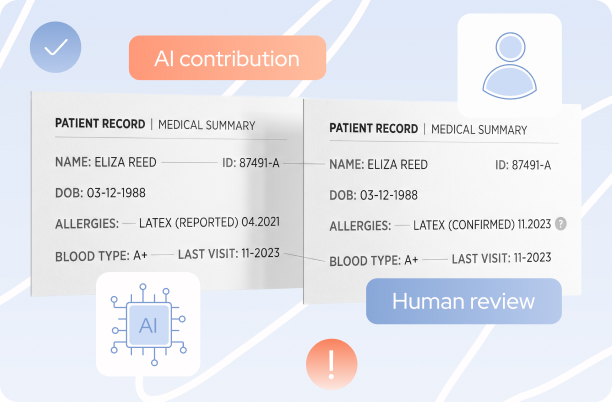
Can AI middleware fix legacy EHR interoperability? 6 problems it handles and where it stop
Find out which six interoperability problems AI middleware can take on in a legacy EHR environment. Get the validation, terminology, and review controls each one needs.
Migration
AI
Legacy modernization
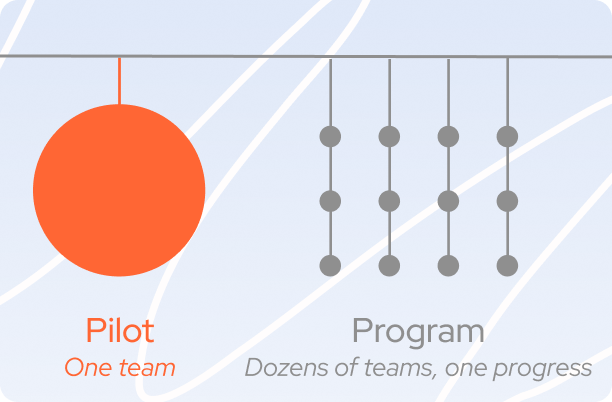
From pilot to program: what scaling AI-Driven Development actually takes
A single successful pilot proves less than it seems to. Andrei Zhukouski on the gap between "it worked for one team" and building a process that holds across fifteen or a whole partner network.
AI
Dedicated team
Custom development
.svg)


