


.png)


Why “it compiles” but crashes in production after migration
This is the most common and most dangerous trap in a .NET migration. The build turns green, tests pass, deployment succeeds, and everyone relaxes. Then production falls over on the first real request. Not during CI. Not during startup. Only when real code paths execute.
This is not bad luck. It is how modern .NET works.
We’ve seen this failure pattern repeatedly in real migrations, including mission-critical systems where downtime is not an option. At TYMIQ, we’ve worked on modernizing large .NET Framework applications in regulated and operationally sensitive environments, where runtime failures after “successful” migrations carry real business risk. In those systems, a green build is treated as a starting point, not a success signal.

The false sense of success after a green build
Compilation success in .NET Core or .NET 8 proves only one thing. The compiler found the symbols it needed at build time. It does not prove that those symbols will exist, bind correctly, or behave the same way at runtime.
In .NET Framework, the runtime environment was largely predictable. Applications ran in a single AppDomain. Assembly binding redirects masked many version conflicts. The Global Assembly Cache quietly resolved problems you did not know you had.
.NET Core removed most of that safety net
At build time, the compiler checks reference assemblies. At runtime, the loader resolves concrete implementations from the application’s dependency graph. If the graph is inconsistent, the build still succeeds. The failure appears later, usually under load.
That is why migration bugs feel unfair. You did nothing “wrong” in code, yet the application explodes anyway.
Runtime-only failures introduced by migration
Most post-migration crashes fall into a small set of patterns.
- Mixed NuGet versions across projects.
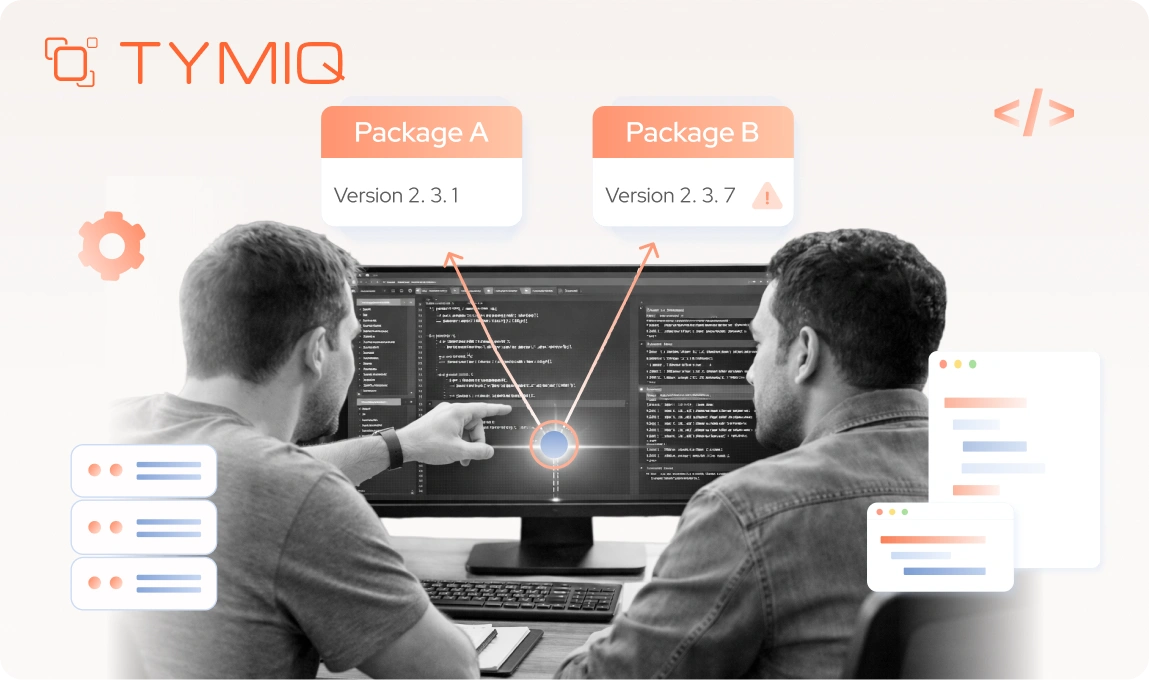
One project references version 6.0 of a package. Another reference 8.0. The solution builds because the compiler is satisfied locally. At runtime, the loader picks one version. The other code path expects methods that do not exist.
The result is familiar and ugly:MethodNotFoundExceptionTypeLoadExceptionMissingMethodException
- These errors often appear only after deployment because CI usually exercises only a subset of runtime paths. Production traffic does not.
- Transitive dependency mismatches.
A library targets netstandard2.0 and looks compatible on paper. Internally, it depends on another package that assumes .NET Framework behavior. The dependency loads. The first call into it fails.
This is why “the DLL loads fine” is meaningless as a success signal. - Different runtime binding rules.
.NET Core resolves dependencies per application, not per machine. There are no binding redirects saving you from yourself. If two versions exist, one wins. Which one wins depends on the restore order and graph shape, not intention.
Why didn’t CI catch it?
CI usually answers the wrong questions during migration.
- Does it compile? Yes.
- Do unit tests pass? Usually.
- Does the app start? Often.
What CI rarely answers is: Do all production code paths execute with the same dependency graph they will have in production?
Most runtime failures occur in edge paths:
- Background jobs.
- Rare controller actions.
- Serialization branches.
- EF Core design-time services.
- Reflection-based components.
Unless you explicitly smoke-test those paths after publishing, CI gives you a false sense of safety.
How to detect this before production
There are three practical fixes that work consistently.
- Enforce strict package version alignment.
All projects in the solution must reference the same versions of shared packages. No exceptions. Central Package Management helps, but discipline matters more. - Run runtime smoke tests on published output.
Test the published artifacts, not the build output. Many failures appear only after trimming, single-file publish, or runtime resolution. - Fail fast on dependency drift.
Treat mixed versions as build failures, not warnings. Migration errors in .NET are architectural. They do not forgive “almost correct.”
If you remember one thing from this section, remember this:
A successful build is a necessary condition. It is not a safety guarantee.
Dependency and compatibility mistakes (the #1 migration killer)
If migrations fail catastrophically, dependencies are usually the reason. Not controllers. Not language features. Dependencies. This is where most teams lose weeks, then quietly lose confidence.
Legacy libraries that never supported .NET Standard
.NET Standard 2.0 is often misunderstood. It is a compatibility floor, not a promise.
A library targeting .NET Standard 2.0 only guarantees that it compiles against the contract. It does not guarantee that its internal dependencies behave correctly at runtime in .NET Core or .NET 8. Many older libraries were retrofitted just enough to compile, then abandoned.
The usual offenders show up fast:
- Authentication and identity wrappers
- PDF and document generation libraries
- Imaging and reporting components
- COM-based or registry-heavy integrations
These libraries often compile cleanly, then fail when executed. The runtime loads the assembly, but internal calls rely on APIs that no longer exist or behave differently.
That is why “it targets netstandard2.0” is not a validation strategy. It is marketing.
Transitive dependency hell

Transitive dependencies are where migrations quietly go to die.
A common scenario looks harmless:
- A shared library is migrated to .NET Standard.
- A legacy application still targets .NET Framework.
- Both reference the same NuGet package, but different versions.
The solution builds. Tests pass. Deployment succeeds.
At runtime, the loader resolves one version of the dependency. The other code path expects a different API surface. The result is a runtime exception that appears unrelated to the change that caused it.
This is why upgrading one package breaks everything.
The problem is not the package itself. The problem is version drift across the solution. Parallel targeting magnifies this risk because the dependency graph becomes non-deterministic.
If you allow different versions of the same NuGet package in the same solution, you are deferring failure to production.
Why do referenced DLLs load but fail at runtime
This question comes up constantly, and the answer is uncomfortable.
Assembly loading success means only that the file was found. It does not mean that:
- All referenced methods exist.
- Generic constraints match.
- Internal dependencies resolved correctly.
- Platform assumptions still hold.
In .NET Core, the runtime does not paper over these mismatches. There are no binding redirects to rescue you. If the exact method signature is missing, execution stops.
This is why runtime failures feel sudden and arbitrary. They are not. They are delayed consequences.
How to detect dependency failures early
There are only a few approaches that consistently work.
Audit the full dependency graph before the first migration commit
Do not migrate blindly. List every third-party library. Classify each one as:
- Replace. Actively supported, a modern alternative exists.
- Shim. Can be isolated behind an interface.
- Isolate. Kept in a legacy boundary.
- Kill. No longer worth keeping.
If you cannot classify a dependency, it will hurt you later.
Enforce version alignment across the entire solution
All shared packages must use the same versions everywhere. This is not optional. Central package management helps, but human discipline matters more.
Treat transitive dependencies as first-class risks
If a library pulls in ten dependencies, you own all ten. Migration errors often come from packages you did not know you were using.
In practice, this is why we treat dependency analysis as a first-class migration phase. In TYMIQ projects, this work is done before large-scale refactoring begins: mapping the full dependency graph, identifying version drift, and classifying libraries that must be replaced, isolated, or retired. Fixing dependency hygiene early removes a large class of “random” runtime failures later.
The uncomfortable takeaway
Most migration failures blamed on “.NET Core instability” are dependency hygiene failures. The platform is strict by design. It surfaces problems that .NET Framework quietly hid.
If your dependency graph is inconsistent, .NET 8 will expose it. Quickly and loudly.
Fix the graph, and half of your migration problems disappear.
Middleware and request pipeline: “Why did my filters stop working?”

This section catches teams off guard because nothing technically “breaks.” Requests still flow. Responses still return. What disappears is behavior. Logging goes quiet. Authentication stops triggering. Exceptions vanish without a trace.
That silence is the bug.
ASP.NET Core middleware ordering explained
ASP.NET Core processes requests through a middleware pipeline with a strict execution model.
- The first middleware runs first on the way in.
- The same middleware runs last on the way out.
This sounds simple until you migrate real applications.
A common failure looks like this:
- Exception handling middleware is registered early.
- Logging middleware is registered later.
- An exception occurs
The exception is handled and swallowed before logging ever sees it. The request completes “successfully,” but nothing is recorded. In production, this feels like the application is lying to you.
In .NET Framework, global handlers and filters ran in a more implicit order. Many developers relied on that behavior without realizing it. ASP.NET Core removes that ambiguity. Order is explicit, and the wrong order produces silent failures.
Filters are not middleware, and pretending they are causes damage
Another migration mistake is treating filters and middleware as interchangeable concepts.
They are not.
- Middleware wraps the entire request pipeline.
- Filters operate inside MVC execution only.
Global filters that worked reliably in .NET Framework often behave differently or stop firing entirely after migration. The most dangerous cases involve lifetime assumptions.
A frequent mistake is registering filters as singletons because “they don’t have state.” Then the state appears. Caches sneak in. Request-specific data leaks across users. Under load, behavior becomes inconsistent and impossible to reproduce locally.
This is how teams end up debugging ghosts.
Stateful singleton filters under load
Singleton filters with mutable state create cross-request contamination.
Symptoms include:
- User-specific data appearing in other requests.
- Authorization logic is behaving inconsistently.
- Logging metadata is bleeding between requests.
These bugs rarely show up in development. They surface under concurrency, exactly where production traffic lives.
ASP.NET Core does not protect you from this. It assumes you understand lifetimes. If you do not, the runtime lets you fail.
Correct migration patterns
The fixes are straightforward, but they require unlearning habits.
Rewrite cross-cutting concerns as middleware. Logging, exception handling, correlation IDs, and request timing belong in middleware, not filters.
Be explicit about ordering. Authentication before authorization. Exception handling before logging if you want clean traces. Compression after everything else. Write the order down. Treat it as part of the design.
Use per-request filters unless stateless by construction. If a filter touches request data, make it scoped or transient. Singleton filters should be rare and boring.
Why does this break only after migration
The new pipeline model is stricter, faster, and more predictable, but only if you respect its rules. Migration breaks filter logic, not because the framework is worse, but because it refuses to guess your intent.
If your filters stopped working, the pipeline is telling you something. Listen to it before production traffic does.
Platform-specific APIs. Windows assumptions that no longer hold
Many migrations fail not because the code is wrong, but because the environment changed and nobody accounted for it. .NET Core and .NET 8 are cross-platform by default.
Windows-only APIs in a cross-platform runtime
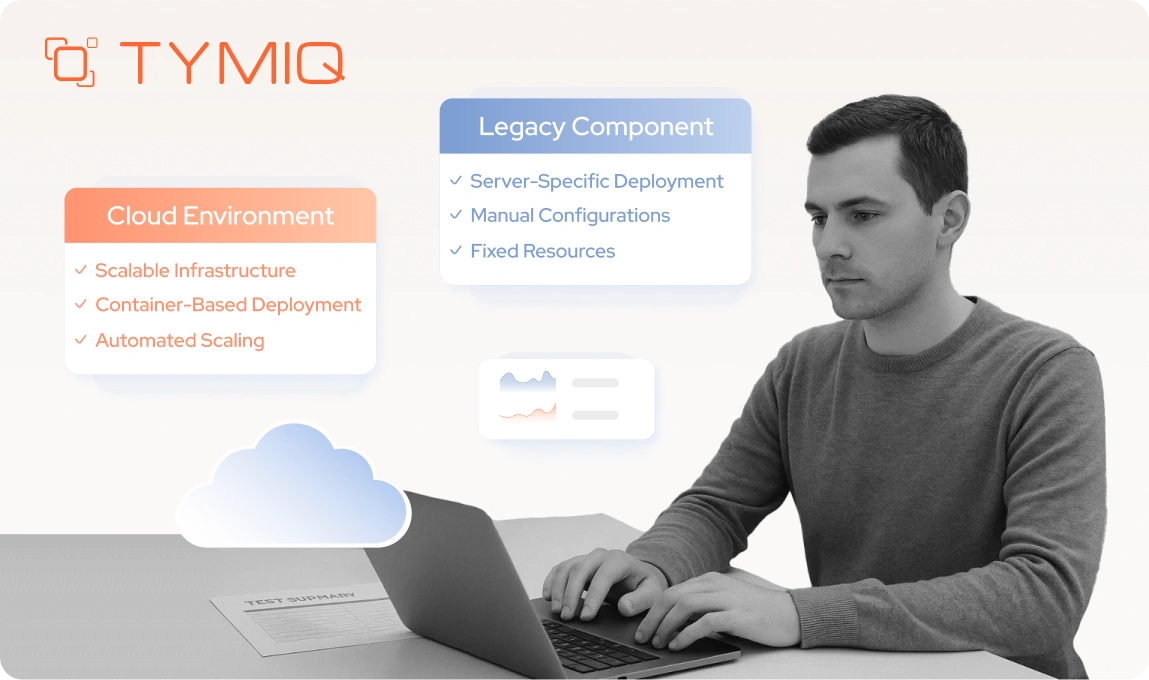
Legacy applications often depend on Windows features without explicitly acknowledging it.
Typical examples include:
- Windows Registry access
- COM interop
- Windows Services
- GDI+ and
System.Drawing - File paths that assume case insensitivity
On .NET Framework, these dependencies blended into the background. On .NET Core, they either do not exist or behave differently depending on the operating system.
This becomes visible the moment you introduce containers, Linux-based hosting, or even a different Windows environment with stricter permissions.
Case-sensitive file systems are a common shock. Code that works locally fails in production because Config.json and config.json are not the same file anymore. The compiler does not help you here. The runtime fails when the file is accessed.
Process.Start and execution behavior changes
One of the most frequent post-migration crashes involves Process.Start.
In .NET Framework, calling Process.Start("file.pdf") implicitly invoked the system shell. The runtime resolved the file association and opened the correct application.
In .NET Core and later, the default changed. UseShellExecute is false unless explicitly set. The same call now throws an exception, often phrased as “not valid for this OS platform.”
This typically breaks:
- Opening documents (.pdf, .eml, .docx)
- Launching helper tools
- Legacy automation workflows
Containers amplify these failures
Containers remove even more implicit behavior.
- No desktop shell
- No file associations
- Limited OS services
- Stricter process isolation
Code that relied on “whatever is installed on the server” stops working immediately. This is not a container problem. It is an assumption problem that migration makes visible.
This pattern is not theoretical. We encountered it directly while modernizing an Air Traffic Control information display system used across multiple airports.
Case snapshot. ATC-IDS and environment assumptions
Context:
Mission-critical Air Traffic Control Information Display System operating across multiple airports.
Migration risk/mistake:
Assuming that runtime behavior would remain consistent across environments during a direct migration.
Observed symptom:
Environment-specific instability appearing only after deployment, varying by airport setup.
Root cause:
Hidden dependencies on platform behavior and vendor-specific components that differed across environments.
Fix pattern:
Parallel migration using a strangler approach, isolating modernized components while preserving stable legacy behavior.
Safeguard:
Explicit ownership of deployment, environment validation, and controlled rollout per site.
Outcome:
Modernized system with improved performance and security, without operational disruption.
This case highlights a recurring pattern. Platform assumptions often survive development and testing. They fail where environments differ the most. Production.
Migration-safe patterns for platform dependencies
There are only a few reliable ways to deal with this class of problems.
- Treat OS-specific APIs as explicit dependencies, not conveniences.
- Isolate platform-specific code behind abstractions.
- Configure
ProcessStartInfoexplicitly every time. - Test on the target OS early, not after release.
If your application must remain Windows-only, say so in the target framework and deployment model. If it must be portable, remove Windows assumptions aggressively.
Why does this surface during migration
.NET Framework allowed applications to grow around the operating system. .NET Core forces applications to declare their relationship with it.
Migration does not create these bugs. It exposes them.
If platform-specific failures appear after moving to .NET 8, the code is telling you something important. It was never as portable as you thought.
Configuration and startup. “Why does the first request crash?”

This failure pattern feels irrational until you understand what changed. The application starts. Health probes pass. Then the first real request hits production, and everything falls apart. Restart fixes it temporarily.
This is not random. It is a startup and configuration problem that migration exposes.
The death of web.config and silent config loss
In .NET Framework, configuration lived in web.config. Transforms handled environment differences. Missing values often defaulted quietly.
In ASP.NET Core, configuration is explicit and layered:
appsettings.jsonappsettings.{Environment}.json- environment variables
- secret stores
- command-line overrides
If a value is missing, the application often does not fail at startup. It fails when the value is first accessed.
That delay is dangerous. It pushes configuration errors into production traffic instead of deployment time.
Common migration mistakes include:
- Assuming web.config transforms still apply.
- Forgetting environment-specific JSON files.
- Relying on default values that no longer exist.
- Moving secrets without updating the binding logic.
Lazy DI creation and cold-start failures
ASP.NET Core creates services lazily. That means most of your dependency graph is not built during startup.
On the .NET Framework, many applications eagerly initialized components during application start. That masked misconfigurations and missing dependencies early.
After migration, the first real request often triggers:
- DbContext creation
- HttpClient initialization
- Authentication provider setup
- Cache connections
- Serialization configuration
If any of these fail, the failure happens on the first user request, not during deployment. Under load, this can cascade into timeouts and memory spikes.
Memory and performance spikes on first hit
Another symptom of lazy initialization is resource pressure.
Hundreds of services may be created at once. JIT compilation, reflection, and proxy generation happen together. On constrained environments, this causes:
- Sudden memory spikes
- Thread pool starvation
- Slow first responses
- Temporary unresponsiveness
Teams often misdiagnose this as a performance regression in .NET 8. It is usually a startup design issue.
Migration-safe initialization patterns
There are proven ways to avoid this entire class of problems.
Fail fast on missing configuration
Validate critical configuration during startup. If a value is required, force the application to crash early. Deployment failures are cheaper than production incidents.
Explicit warmup for critical services
Initialize databases, caches, and external integrations before serving traffic. Do not wait for the first user to do it for you.
Health checks that actually touch dependencies
A health check that only returns “OK” is decorative. A useful one verifies real connectivity and configuration.
Why did it not happen on the .NET Framework?
Migration removes accidental safeguards you relied on without realizing it.
If the first request crashes after migration, the system is telling you that startup assumptions were never formalized. Fixing them makes the application more predictable, not more complex.
The goal is simple. If the application is misconfigured, it should never start serving traffic.
Entity Framework. The most underestimated migration
Entity Framework migrations fail quietly, then punish you with performance regressions weeks later. Teams often celebrate when the code compiles and data flows again. That celebration is premature.
EF Core is not EF6 with a new package name. It is a different data access model with different failure modes.
EF6 to EF Core is a conceptual break, not a syntax change
The most common mistake is treating this as a mechanical upgrade.
EF6 patterns that do not translate cleanly include:
- EDMX and database-first workflows
ObjectSet<T>and legacy namespaces- Implicit behaviors hidden behind proxies
EF Core assumes code-first thinking, explicit configuration, and predictable query shapes. You can approximate old patterns, but the defaults are no longer doing you favors.
Code that “works” after migration often carries hidden inefficiencies that only show up under real load.
Lazy loading hurts more in EF Core
Lazy loading was already risky in web applications. EF Core makes the consequences more visible.
Typical symptoms after migration include:
- N+1 query explosions
- Database load increasing without obvious code changes
- Requests slowing down as traffic grows
EF Core 8 makes this worse in certain scenarios. Many-to-many relationships and join tables expose edge cases where lazy loading fails or returns nulls after updates. Code that behaved in EF Core 7 suddenly breaks in 8, often without compile-time warnings.
Performance regressions that look like infrastructure problems

After migration, teams often blame:
- The database
- The cloud provider
- The network
- The runtime
The real cause is usually query shape.
EF Core does exactly what you tell it to do. Lazy loading tells it to issue queries at access time, not at intent time. Under load, this multiplies roundtrips and locks you did not plan for.
Case snapshot. OGEN 2.0 and the “runtime upgrade” trap
Context:
A large seaport logistics system operating continuously and serving operational dashboards.
Migration risk/mistake:
Assuming that upgrading the runtime would resolve performance and usability issues.
Observed symptom:
Critical dashboards are loading in tens of seconds and degrading under real traffic.
Root cause:
Legacy Web Forms architecture, tightly coupled logic, and inefficient data access patterns are unsuitable for modern workloads.
Fix pattern:
Full reengineering on ASP.NET Core with explicit APIs, modern frontend, and controlled data access.
Safeguard:
Step-by-step rollout, availability guarantees, and performance validation before cutover.
Outcome:
Predictable performance, improved responsiveness, and modern integration capabilities.
The lesson applies directly to EF migrations. When data access is the bottleneck, runtime upgrades do not save you. Architecture does.
Safer EF migration patterns
There are a few patterns that consistently reduce risk.
Prefer explicit loading over magic
Use Include and AutoInclude deliberately. Shape queries for the data you need. Avoid relying on side effects.
Design queries as part of the API contract
Treat database access as a public surface. If you would not hide behavior in a public API, do not hide it behind lazy loading.
Test performance, not just correctness
EF Core migrations often pass functional tests while failing operationally. Load tests catch what unit tests cannot.
Why EF issues surface late
EF Core failures often appear after deployment because performance problems require concurrency to show up. Local testing rarely reproduces them.
Migration does not introduce these problems. It removes the layers that previously hid them.
If EF performance regressed after moving to .NET 8, assume the queries were always fragile. The framework just stopped compensating for them.
.NET 8 build errors you will hit (guaranteed)
This section exists for one reason. To save you time.
.NET 8 tightens rules that older versions tolerated. Most failures show up during build or publish, not at runtime, and they tend to look unrelated to the change that caused them. They are not random. They are alignment failures.
Entity Framework package version mismatch
This is the most common hard failure during a .NET 8 migration.
Symptoms usually appear when running Add-Migration or dotnet ef commands:
- Missing method errors
- Design-time service failures
- Tooling crashes that mention unrelated types
The root cause is always the same.
EF Core packages must match exactly.
That means:
Microsoft.EntityFrameworkCoreMicrosoft.EntityFrameworkCore.Design- Provider packages like
SqlServer, Npgsql, etc.
Preview plus stable is a guaranteed failure. Minor version drift is enough to break tooling. The compiler cannot protect you here because the failure happens inside design-time services.
Fix pattern:
Lock all EF Core packages to the same version across all projects. Treat EF as a single unit, not independent packages.
System.Drawing is Windows-only now
Many migrations fail with TypeLoadException after upgrading to .NET 8, even though the code compiled successfully.
The reason is simple. System.Drawing is Windows-only by design.
If your application targets net8.0 and runs on Linux or in containers, GDI+ is not available. Adding the NuGet package does not fix this if the original dependency came from a .NET Framework assembly.
Typical failure patterns include:
- Referencing legacy libraries that internally use
System.Drawing - Targeting
net8.0instead ofnet8.0-windows - Assuming cross-platform support where none exists
Fix patterns:
- Target
net8.0-windowsexplicitly if Windows-only is acceptable - Replace
System.Drawingwith cross-platform libraries - Isolate image processing behind OS-specific boundaries
Ignoring this does not produce warnings. It produces runtime crashes.
Trimming and reflection failures
.NET 8 enables aggressive trimming by default for many project types. This breaks code that relies on reflection without telling the linker what must be preserved.
Symptoms appear after publication, not during build:
- JSON or XML serialization failures
- Missing types that exist in the source code
- Reflection-based frameworks behave inconsistently
This is especially common in migrated applications that rely on dynamic behavior, plugin models, or older serialization patterns.
Fix patterns:
- Disable trimming for affected projects
- Use source-generated serializers
- Add explicit preservation attributes where reflection is required
Trimming assumes explicit intent. Legacy code rarely has it.
Removed and obsolete APIs
.NET 8 removes or disables APIs that migrations often rely on indirectly.
Common examples include:
- Obsolete middleware replaced by newer primitives
- Disabled binary serialization
- Removed implicit usings
- Deprecated abstractions that still exist in older projects
These failures are often framed as “random breaking changes.” In reality, they are deliberate removals of unsafe or ambiguous behavior.
Fix pattern:
Read the compatibility notes for the target version. Search for obsolete warnings before upgrading. Silence nothing until you understand it.
Why do these errors feel disproportionate
.NET 8 is not less forgiving. It is more honest.
Older runtimes allowed partial correctness. .NET 8 requires consistency. Package alignment, platform clarity, and explicit configuration are no longer optional.
If build errors spike during migration, that is expected. Each one removes a hidden assumption. Each fix reduces operational risk later.
Treat build failures as design feedback, not obstacles.
In recent .NET 8 migrations we’ve supported, most of these failures surfaced during publish or tooling steps, not during coding. Catching them early required treating published output, trimming behavior, and EF design-time tooling as testable artifacts, not afterthoughts. Once teams adopt that mindset, .NET 8 becomes predictable rather than hostile.
Migration patterns that actually work
After enough failed migrations, a pattern becomes obvious. Successful teams do not migrate faster. They migrate more safely. They assume things will break and design around that reality.
This section is not theory. These patterns exist because everything else caused downtime.
The strangler fig pattern. Parallel beats brave
Big-bang migrations fail most often in systems that matter the most.
The strangler pattern avoids that by running legacy and modern components side by side. Traffic is gradually redirected. Old code is retired only when the replacement proves stable under real load.
This pattern works because it accepts two uncomfortable truths:
- You cannot predict all runtime failures in advance.
- Rollback must be cheap and immediate.
It trades architectural purity for operational safety. In production systems, that trade is worth it.
Transitional targeting. .NET Standard as a bridge, not a destination
Targeting .NET Standard 2.0 is useful when you must support both .NET Framework and .NET Core during transition. It is not a long-term solution.
Common mistakes include:
- Treating .NET Standard as “future-proof”
- Parking shared libraries there indefinitely
- Ignoring platform-specific behavior hidden behind abstractions
Use transitional targeting to decouple layers, then move forward deliberately. Staying there too long creates a compatibility ceiling you cannot break through later.
Staged runtime upgrades reduce blast radius
Jumping directly from .NET Framework to .NET 8 multiplies risk. Too many changes land at once.
A staged approach works better:
- Framework to .NET 6. Stabilize.
- .NET 6 to .NET 8. Optimize.
Each step surfaces a different class of issues. Separating them turns chaos into a sequence of manageable problems.
Teams that skip stages usually discover that every failure looks the same in production. It is not.
Test-first migration is not optional at scale
High test coverage does not guarantee a painless migration. Low coverage guarantees pain.
Tests do not catch all migration failures, but they dramatically reduce uncertainty. They let you refactor aggressively, isolate risky components, and detect behavioral drift early.
In large systems, tests are not a quality tool. They are a navigation tool.
Why these patterns outperform “clean rewrites”
Clean rewrites look attractive on slides. In reality, they delay feedback and concentrate risk.
Migration patterns that work share three traits:
- They assume partial failure.
- They preserve rollback paths.
- They validate behavior under real traffic.
If your migration plan cannot answer “what happens when this breaks in production,” it is incomplete.
Modern .NET rewards explicit design and operational humility. These patterns reflect that.
Fast checklist. How to detect and fix incompatibilities early
By the time most migration bugs reach production, the damage is already done. The goal of this checklist is not perfection. It is an early failure in controlled conditions.
Use this before, during, and after migration.
Dependency graph sanity checks
If different projects reference different versions of the same package, assume production failure is scheduled, not possible.
Runtime smoke tests, not just builds
A green build answers the wrong question. Published artifacts tell the truth.
OS-specific CI pipelines
If production runs on Linux, Windows CI is incomplete by definition.
Configuration validation at startup
Configuration errors should stop deployment, not surprise users.
Publish-time trimming validation
Trimming optimizes what you explicitly describe. Legacy code rarely does.
EF-specific migration checks
EF issues often pass correctness tests and fail operationally.
Final takeaway
Most .NET migration failures are detectable early if you test the right things at the right time. The checklist is short because the problem space is repetitive.
If you apply these checks consistently, migration stops being a gamble and becomes an engineering process.
That is the difference between “it compiled” and “it survived production.”

Migration is not an upgrade. It is a rewrite of assumptions
Most teams approach migration as a technical upgrade. Change the target framework, fix compiler errors, ship. That mental model fails consistently.
Migration breaks systems because it invalidates assumptions that were never written down.
- How dependencies resolve
- When services are created
- What the operating system provides
- How configuration is loaded
- When data access actually executes
.NET Framework tolerated ambiguity. .NET Core and .NET 8 do not. They demand explicit design. When that design is missing, the runtime exposes it. Usually in production.
Across all the failure modes covered in this article, a few patterns repeat.
- Green builds to hide runtime risk
- Dependency drift causes delayed explosions
- Middleware and DI fail silently when lifetimes are misunderstood
- Platform assumptions collapse outside Windows
- EF performance issues surface only under concurrency
- .NET 8 amplifies every hidden design flaw
The most important shift is conceptual. Migration success has little to do with syntax. It is architectural and operational.
If you treat migration as an upgrade, you inherit every hidden problem at once.
If you treat it as a rewrite of assumptions, you surface those problems early, where they are cheap to fix.
Need help validating a migration before it breaks production?
If you’re planning a .NET Framework to .NET Core or .NET 8 migration and want to identify risks early, TYMIQ can help with a focused system audit or migration discovery phase. This typically covers dependency compatibility, EF Core risks, platform assumptions, build and publish pitfalls, and a realistic migration roadmap.




.svg)


