


.png)


Your .NET application has just gone live in the cloud. The deployment worked, users are logging in, and everything appears stable.
Then the first unexpected alert comes in. The source is unclear, the logs are fragmented, and no one knows if this is a minor issue or an early warning.
This is a familiar moment for many teams.
Moving to the cloud is a major milestone. It changes infrastructure, deployment models, and operational expectations. Yet migration alone does not make an application cloud-ready. At this stage, most systems are only cloud-hosted. They often carry the same architectural limits, operational gaps, and inefficiencies from their previous environment.
The difference between running in the cloud and operating effectively in the cloud comes from what happens next.
Lift-and-shift approaches help teams move quickly. They reduce migration complexity and lower short-term risk. At the same time, they rarely deliver the scalability, resilience, and cost control that teams expect. Without structured follow-up work, those benefits remain out of reach.
This article presents a practical 30-day post-migration plan. We will discover how to stabilize the environment and prepare your .NET application for long-term scalability, moving from migration to cloud readiness through deliberate steps.
Why cloud migration alone doesn’t deliver results
After migration, many teams assume the work is complete.
Your system runs in the cloud, so expectations shift toward immediate performance gains and cost efficiency. In practice, those outcomes depend on how well your system adapts to cloud behavior, not where it is hosted.
Cloud environments introduce new constraints that are easy to overlook. Systems scale dynamically, network latency becomes more visible, and dependencies behave differently under load. Without deliberate configuration and monitoring, these changes introduce failure points that did not exist before.
Several issues appear consistently in post-migration .NET environments. These are observed across production systems within weeks of go-live, and they usually trace back to design assumptions carried over from static infrastructure.
- Performance degrades under load because application scaling is not aligned with database limits or connection pooling.
- Cloud costs increase when workloads are over-provisioned or scaling rules are not tuned to real usage patterns.
- Monitoring lacks depth, so teams see infrastructure metrics but cannot trace a request across services.
- Deployment pipelines remain fragile, leading to failed releases or slow recovery during incidents.
In many .NET systems, performance issues are tied to the data layer. Applications scale horizontally, but databases remain constrained by connection limits or inefficient queries. This creates a mismatch where compute scales, but throughput does not.
Observability gaps create additional risk. Teams often collect logs and metrics, but lack correlation across services. When latency increases, you cannot determine whether the issue originates in the API, database, or an external dependency. This slows incident response and increases downtime.
Recent data reinforces this gap between visibility and understanding. According to the Middleware Observability Survey, teams are collecting more telemetry than ever, yet still struggle to operate systems effectively:
- 46.7% of organizations run multiple observability tools, which increases fragmentation and slows root cause analysis.
- 54% report dashboard and alert setup as the main challenge, indicating that visibility is difficult to operationalize.
- 55.5% would switch tools for better integration, showing that disconnected systems limit effectiveness.
- 59.5% expect automated anomaly detection, reflecting a shift toward proactive operations.
These findings align with what teams experience after migration. You may have logs, metrics, and dashboards, but without integration and clear signals, they do not support fast decision-making.
The migration failure is not the primary reason for these issues. They reflect incomplete adoption of cloud operating models. Lift-and-shift approaches move workloads quickly, but they preserve assumptions from static environments that break under dynamic scaling, distributed dependencies, and usage-based cost models.
Cloud platforms provide flexibility, but they require active design decisions. You need to align scaling with real demand, define ownership for cost and services, and build visibility into how your system behaves under stress.
The difference between cloud-hosted and cloud-ready comes down to operational maturity. A cloud-ready system allows you to answer key questions without guesswork.
You should know:
- Where latency increases under load
- How costs change as traffic grows
- How your system behaves when a component fails
- Which service becomes a bottleneck first
- How quickly your team can detect and resolve issues
To close this gap, you need a structured approach that focuses on how your system behaves after migration, not only on where it runs. This is where a clear, time-bound framework helps you prioritize the right changes and build operational maturity step by step.
The 30-day cloud-readiness framework for .NET applications
Think of the first 30 days after migration as the commissioning phase of a system, not the handover. This is the period where you validate how it behaves under real conditions, adjust what does not hold up, and set the foundation for reliable operation.
A structured approach helps you avoid reactive decisions. The first 30 days after migration are a critical window to stabilize and improve your system.
Based on experience across a range of projects and scenarios, the TYMIQ engineering team has developed a framework that helps teams focus on what matters most during this phase.
This framework organizes the work into four phases:
- Week 1: Stabilization
- Week 2: Observability and security baseline
- Week 3: Cost optimization and DevOps maturity
- Week 4: Scaling and architectural improvement
Important to mention that these phases are not strictly sequential. Teams often revisit earlier steps as new issues appear. The goal is to establish a repeatable cycle of improvement.
Week 1: Stabilize your post-migration environment
The first priority after migration is stability. Even well-executed migrations introduce hidden issues. Dependencies behave differently, configurations drift, and performance changes under real usage.
1. Validate what you just moved
Begin by confirming that all components work as expected in the new environment. This step is often underestimated, especially after lift-and-shift migrations where systems appear stable at first glance.
Focus on:
- Service dependencies such as databases, APIs, and queues
- Environment-specific configuration values and secrets
- Integration points under realistic traffic conditions
At scale, even small mismatches can cause failures. A misconfigured connection string, a missing timeout setting, or a dependency with higher latency can lead to cascading issues under load.
Industry guidance reinforces this. Google Cloud highlights in its architecture best practices that post-migration validation should include load testing and dependency verification, since many issues only appear under production traffic patterns.
2. Eliminate immediate risks
Once validation is complete, the next step is to reduce operational risk. At this stage, the main concern is not whether the system works, but whether it can recover when something goes wrong. Cloud environments introduce new failure modes, especially around configuration, scaling, and dependency behavior.
The risks to focus on include:
- Inability to recover data after failure
- Failed deployments without a safe rollback path
- Hidden single points of failure in otherwise distributed systems
These risks often remain unnoticed until the first incident.
For example, a 2025 post-incident analysis published by Amazon Web Services highlighted cases where backup configurations were assumed to be active but were not properly tested, leading to delayed recovery during outages.
Another common scenario involves deployment failures without rollback mechanisms. According to Google Cloud guidance, teams that do not implement automated rollback or progressive delivery strategies experience longer recovery times and higher incident impact.
To reduce these risks, focus on the following:
- Confirm backup and restore procedures through actual recovery tests
- Test rollback strategies in your deployment pipeline
- Identify and remove single points of failure across services and dependencies
These steps improve confidence in the system and reduce exposure to outages during early production use.
3. Validate the data layer
Many post-migration issues originate in the data layer. Applications often scale as expected, but the database becomes the limiting factor under real traffic. This mismatch leads to increased latency, timeouts, and unstable performance.
Cloud environments can introduce additional latency between services and databases, especially when networking, regions, or connection handling are not optimized. In .NET applications, this is often visible through connection pool exhaustion or slow query execution under load.
Focus on the following areas:
- Check database latency under realistic traffic conditions, not only synthetic tests
- Review connection limits and pooling configuration to avoid saturation
- Analyze query performance and indexing strategy for production workloads
- Validate backup, replication, and failover configurations
For example, Microsoft notes in its Azure architecture guidance that database throughput and connection limits are common bottlenecks after scaling application services, especially when workloads increase suddenly.
You should also confirm how the system behaves under load spikes. A database that performs well at low traffic can degrade quickly when concurrency increases, especially if queries are not optimized or if indexing is incomplete.
4. Establish a security baseline
Security should not be delayed. Early misconfigurations are one of the most common causes of cloud incidents, especially in newly migrated environments where defaults are left unchanged.
Recent data highlights the impact. The IBM report showed that the global average cost of a data breach reached $4.7 million, with misconfigured cloud resources listed among the leading causes.
Post-migration systems are particularly exposed because access rules, identities, and secrets are often carried over without being adapted to cloud-native practices.
Focus on the following:
- Review identity and access permissions across services and users
- Apply least privilege access controls to limit unnecessary exposure
- Store secrets securely using managed services such as key vaults
- Validate network access rules, including public endpoints and internal communication
Cloud environments increase exposure if misconfigured, so establishing a security baseline early is a practical risk reduction step.
Week 2: Build observability and define reliability targets
Once your system is stable, the next priority is visibility and reliability. At this stage, the key question shifts from “is it running?” to “do you understand clearly how it behaves under real conditions?”
Cloud systems depend on distributed components, so failures rarely happen in isolation. Without proper visibility, diagnosing issues becomes slow and uncertain, especially when multiple services are involved.
Observability gives you the ability to:
- Understand how your system behaves under load
- Identify bottlenecks and failure points
- Track issues that directly affect users
Without this, decisions are based on assumptions rather than data.
A solid observability setup should include:
- Centralized logging across all services
- Distributed tracing to follow requests end-to-end
- Metrics covering performance and resource usage
Together, these give you a clear view of how your system operates in production and where it starts to break under pressure.
1. Define service reliability targets
Monitoring on its own does not give you control over system behavior. You need clear definitions of what acceptable performance looks like, and those definitions must reflect user experience, not infrastructure metrics.
Start by defining measurable targets:
- Define uptime and latency targets based on user expectations
- Set thresholds for error rates and failed requests
- Align alerts with user impact, not CPU or memory usage
These targets should be expressed as service-level objectives. SLO reflects the reliability your users expect, not the minimum guarantees provided by cloud vendors. This distinction is critical because provider SLAs do not account for your application logic, dependencies, or operational processes.
In practice, this means you should be able to answer:
- What percentage of requests must succeed over a given period?
- How fast your API should respond under normal and peak load?
- At what point does performance degradation become unacceptable?
Clear targets reduce alert noise and improve incident response. They also create a shared understanding between engineering and business teams about what “working correctly” means.
2. Integrate with DevOps workflows
Observability and reliability targets must connect directly to how you build and release software. If they are isolated from delivery workflows, they will not influence decisions.
Focus on the following:
- Integrate monitoring checks into CI and CD pipelines
- Validate deployments using real-time metrics before full rollout
- Configure alerts based on defined reliability thresholds
This approach allows you to detect issues during deployment, not after impact.
For example, you can block a release if latency increases beyond your defined target or if error rates exceed acceptable limits. This shifts quality control from reactive monitoring to proactive validation.
When observability, reliability targets, and delivery pipelines are aligned, your system becomes predictable. You can release changes with confidence because you understand how the system behaves and when it starts to degrade.
Week 3: Optimize costs and strengthen DevOps practices
With visibility in place, you can focus on efficiency and delivery. At this stage, the goal is to reduce waste, improve deployment reliability, and align engineering decisions with measurable impact.
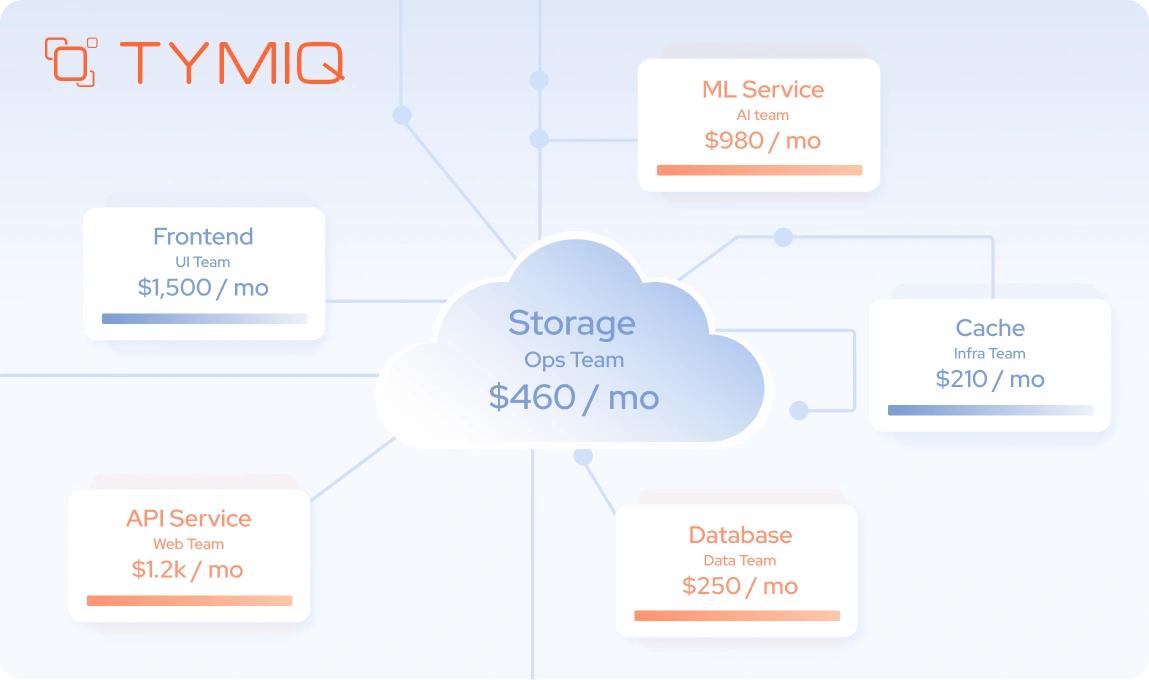
1. Establish cost visibility and ownership
Cloud cost management requires structure. Without clear ownership and visibility, spending grows without control, especially in dynamic environments.
Focus on:
- Identify unused or underutilized resources, such as idle virtual machines, unattached storage, or over-provisioned databases
- Adjust resource allocation based on actual usage patterns, using autoscaling rules tied to CPU, memory, or request volume
- Assign ownership through tagging, including environment, service, and team-level identifiers
You should also review reserved instance usage and pricing tiers. Cost awareness improves decision-making across teams because it connects architecture choices with financial impact.
2. Move toward FinOps maturity
Cost control should evolve into a shared responsibility across engineering, operations, and finance.
Focus on:
- Track spending trends over time using cost dashboards and anomaly detection alerts
- Forecast usage based on expected growth, seasonal traffic, or product changes
- Align engineering decisions with cost impact, such as choosing between managed services and self-hosted components
You should also introduce cost reviews as part of regular engineering cycles. For example, reviewing cost per request or per user helps teams understand efficiency at a system level.
3. Strengthen CI and CD pipelines
Reliable delivery is critical in cloud environments. Weak pipelines increase deployment risk and slow down iteration.
Focus on:
- Introduce automated testing across environments, including integration and performance tests that reflect production conditions
- Adopt controlled deployment strategies such as blue-green or canary releases to limit exposure during changes
- Implement automated rollback mechanisms triggered by failed health checks or degraded performance metrics
You should also include infrastructure validation in your pipelines. Changes to infrastructure as code should be tested and version-controlled alongside application code.
4. .NET-specific improvements
.NET workloads benefit from targeted optimization, especially in cloud-native environments where performance and scalability depend on configuration.
Focus on:
- Improve containerization by optimizing image size, using multi-stage builds, and aligning runtime versions with your hosting environment
- Optimize build and deployment pipelines by caching dependencies and reducing build times in CI workflows
- Review runtime performance configurations, including thread pool settings, async usage, and connection management
You should also audit how HttpClient is used across services. Improper usage can lead to socket exhaustion under load, which is a common issue in cloud-based .NET applications.
Week 4: Refactor, scale, and improve architecture

The final phase focuses on long-term improvements. At this point, your system is stable and observable, so you can make targeted changes that improve scalability, performance, and maintainability without introducing unnecessary risk.
1. Identify high-impact refactoring opportunities
Not all components require immediate changes. Focus on areas that limit performance or create operational friction.
Focus on:
- Performance bottlenecks, such as slow database queries, synchronous I/O operations, or inefficient caching strategies
- Tightly coupled components, where changes in one service require updates across multiple modules
- Frequently updated modules, which benefit from better isolation and clearer boundaries
In .NET systems, this often includes reviewing async patterns, reducing blocking calls, and optimizing dependency injection scopes.
Targeted refactoring delivers measurable results by improving performance without introducing large-scale complexity.
2. Improve architectural structure
Migration provides an opportunity to reassess design decisions that were made for static environments.
Focus on:
- Evaluate modular architecture approaches, such as moving from a monolith to a modular monolith before considering microservices
- Define clear service boundaries, using domain-driven design principles to separate responsibilities
- Reduce unnecessary dependencies, especially synchronous calls between services that increase latency and failure propagation
You should also review communication patterns. Replacing synchronous calls with messaging or event-driven flows can improve resilience and reduce coupling.
Modular and composable architectures are now widely adopted across modern systems. Industry data shows that around 70% of organizations are moving toward API-driven, composable approaches to support faster delivery and independent scaling.
3. Design for scalability and resilience
Cloud environments provide scaling capabilities, but they require deliberate configuration and validation.
Focus on:
- Design stateless services, where session state is externalized to distributed caches or databases
- Configure autoscaling based on demand, using metrics such as request rate, queue length, or response time instead of default CPU thresholds
- Implement resilience strategies, including retries with exponential backoff, circuit breakers, and graceful degradation
You should also validate how your system behaves under load. Load testing with realistic traffic patterns helps confirm that scaling rules and resilience mechanisms work as expected.
Cloud-ready checklist for .NET teams
A checklist only has value if it reflects how your system behaves in production. At this stage, the focus shifts from delivery to operation. You need to confirm your system holds up under real conditions, such as traffic spikes, partial failures, and ongoing change.
Based on post-migration work across multiple .NET environments, these are the signals that experienced teams validate early:
In practice, these areas become visible once the system is under real pressure. In projects we have supported at TYMIQ, teams often reach a stable state, but gaps appear during early deployments, traffic spikes, or incidents.
A cloud-ready system is one where behavior is understood, not guessed. You should be able to answer a few key questions at any time:
- What happens if traffic doubles tomorrow?
- Where does latency increase under load?
- Which component fails first, and how does the system respond?
- Who is responsible for fixing it, and how quickly can they act?
If these answers are unclear, the system is still in transition.
Cloud readiness is an ongoing discipline
Migration marks the beginning of a new phase. Cloud-ready systems evolve through consistent refinement. Teams review, adjust, and improve based on real data and changing requirements.
If your system still raises questions under load, during deployments, or when costs shift unexpectedly, it may be time to take a closer look.
Get in touch with our team to assess your current setup and identify the next steps toward a more stable and scalable .NET cloud environment.


.svg)


