


.png)


Most .NET migrations don’t fail – they slow down until progress becomes unpredictable. What begins as a straightforward upgrade often turns into a long, uneven process filled with unexpected blockers. Teams move quickly at first, then hit friction: broken dependencies, incompatible APIs, unstable builds, and growing testing effort.
When tools don’t work as part of a clear workflow, teams spend more time stitching processes together than actually moving the migration forward.
Many of the TYMIQ engineers have worked on .NET systems for years, across different architectures, toolsets, and migration strategies. Some projects relied heavily on automation, others on manual refactoring, and a few tried to do everything at once. The tools themselves rarely determined the outcome, but by how they were used together.
This guide is based on that hands-on experience. It focuses on what has proven to work in practice – where teams gain speed, where they lose it, and which decisions make the biggest difference during a .NET migration.
What “fast” really means in .NET migration
Speed in .NET migration is often measured incorrectly. Compiling code or completing an upgrade step may look like progress, but it does not reflect production readiness. A migration is only successful when the system runs reliably, performs well, and can be deployed without risk.
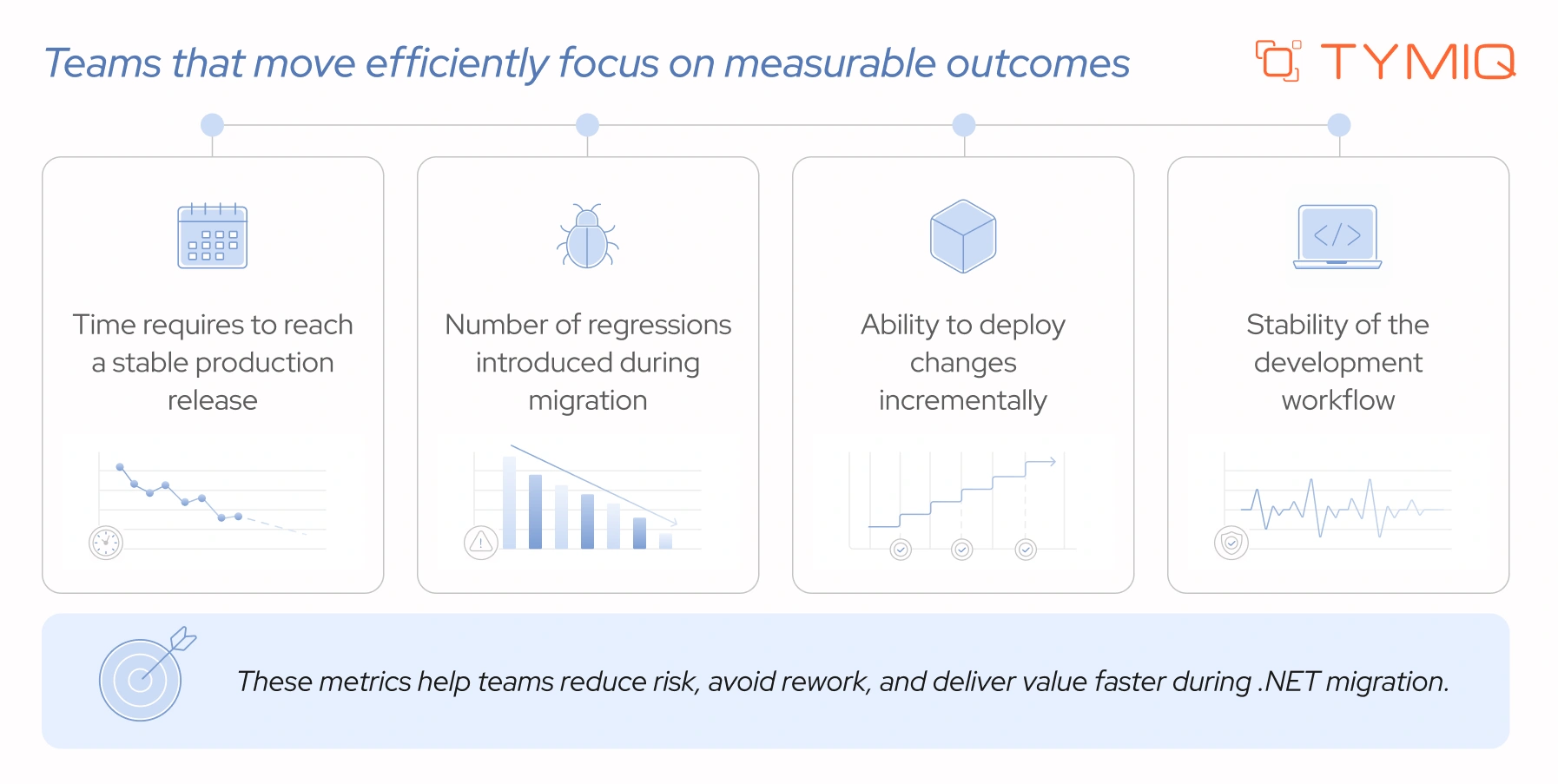
Fast migrations are not about doing everything quickly. They are about reducing rework and avoiding bottlenecks. This requires a combination of automation, clear architecture decisions, and strong testing practices.
Upgrade automation tools: where they help – and where they don’t
Tools like dotnet upgrade assistant and try-convert are often the first step in migration. They help convert project files, update dependencies, and highlight incompatible APIs.
In practice, their role is limited.
They handle repetitive tasks, but they do not solve core migration challenges. After running an upgrade, teams often face issues such as:
- Unsupported APIs (e.g.,
System.Web) - Missing or incompatible NuGet packages
- Broken project references
- TODO markers left by the upgrade process
A typical workflow might look like this:
After execution, the solution may compile partially or fail entirely. At this point, manual work begins. Controllers, middleware, and configuration patterns often require rewriting.
Automation speeds up the starting point, but it does not reduce the complexity of the migration itself.
The hardest part: moving to ASP.NET Core
For many systems, the most cumbersome step in .NET migration is moving from the ASP.NET Framework to ASP.NET Core.
The difficulty comes from the fact that ASP.NET Core was designed with a different philosophy. It removes legacy abstractions, enforces modern patterns, and changes how core features are handled. As a result, many concepts that existed in the ASP.NET Framework either behave differently or no longer exist at all.
This impacts multiple layers at once:
- Application lifecycle changes (no more
Global.asax) - Request pipeline is rebuilt using middleware
- Dependency management shifts to built-in dependency injection
- Configuration moves from web.config to code and JSON-based setup
- Hosting model changes (IIS is no longer the primary runtime)
These layers affect how the system is structured end-to-end.
Most legacy ASP.NET applications rely on patterns that are tightly coupled to the old framework. Over time, teams often build around:
- Static access (
HttpContext.Current) - Global state and shared configuration
- Hidden dependencies across modules
- Monolithic project structures
When moving to ASP.NET Core, these patterns stop working. The framework expects explicit dependencies, modular design, and clear separation of concerns. This forces teams to revisit decisions that may have been in place for years.
In practice, this means rewriting – not just updating – key parts of the system.
A common pattern in ASP.NET Framework is accessing request data through static context:
This works because the framework maintains global state behind the scenes. In ASP.NET Core, this approach is no longer available. Instead, dependencies must be injected explicitly:
This change may seem small, but it affects how services are structured, how data flows through the application, and how components interact. When applied across a large system, the impact becomes significant.
Some of the most important changes teams must handle include:
- No
System.Websupport
Many legacy APIs are not available and must be replaced or rewritten
- Middleware-based pipeline
Request handling moves from event-driven (Application_BeginRequest) to ordered middleware
- Built-in dependency injection
Static and service locator patterns must be replaced with constructor injection
- New routing model
Attribute-based and endpoint routing replace older configurations
- Configuration changes
web.config is replaced by appsettings.json and code-based setup
- Hosting differences
Applications run on Kestrel, often behind a reverse proxy
This is why ASP.NET Core migration is often the most demanding part of the process. It requires teams to rethink how the application works, not only how it compiles.
Code analysis: useful, but easy to misuse

The first time you run analyzers on a legacy .NET system, the output can feel overwhelming. Hundreds (or even thousands) of warnings appear, each pointing to a potential issue. Without a clear approach, this quickly turns into noise instead of guidance.
Tools like NET Portability Analyzer and Roslyn analyzers play an important role early in migration. They highlight compatibility gaps and reveal areas that need attention. This visibility helps teams understand the scope of changes ahead.
As the number of warnings grows, clarity drops. Treating every issue as equally urgent slows progress and shifts focus away from what matters. Teams often get stuck reviewing findings instead of moving forward with the migration.
A more effective approach is to prioritize selectively. Focus on issues that affect build stability, runtime behavior, and core functionality. This keeps progress steady and prevents the migration from turning into an endless cleanup effort.
Start with three priority layers.
1. Blocking issues (won’t build or won’t run)
These are immediate blockers. If the application doesn’t compile or crashes on startup, nothing else matters yet.
Focus on resolving:
- Missing or unsupported namespaces (e.g.,
System.Web) - Broken project references after converting to SDK-style projects
- NuGet packages with no compatible versions for modern .NET
- Runtime exceptions caused by removed or changed APIs
Addressing these issues establishes a baseline where the system can at least build and start. Without this, further work is not meaningful.
2. High-risk dependencies (the silent troublemakers)
These components often appear stable but introduce risk as migration progresses.
Pay close attention to:
- Outdated third-party libraries that lack support for modern .NET
- Internal libraries tightly coupled to legacy framework behavior
- Windows-only APIs when targeting cross-platform environments
- Data access layers built on older patterns (e.g., EF6 → EF Core gaps)
These dependencies may require replacement, isolation, or refactoring. Ignoring them early often leads to more complex problems later.
3. Critical runtime paths (what users actually rely on)
Not all parts of the system carry equal weight. Some areas directly impact business functionality and user experience.
Prioritize:
- Core API endpoints or high-traffic controllers
- Authentication and authorization flows
- Database queries and transaction handling
- Background jobs supporting essential operations
If these paths work reliably, the system delivers value – even if less critical components are still incomplete.
This layered approach keeps the migration focused. Instead of reacting to every warning, teams can move from “doesn’t run” to “runs reliably” in a controlled and predictable way.
Start with what breaks the system. Then move to what risks stability. Only after that should you focus on improvements and cleanup. This keeps progress visible and prevents the migration from turning into an endless loop of warnings.
Because in the end, the goal is a working system that you can safely deploy.
Dependency mapping: understanding before changing
Most migration issues don’t appear where changes are made. A small update in one project can trigger failures in another, break shared logic, or introduce runtime bugs that are hard to trace. This happens when system relationships are unclear.
In legacy .NET solutions, dependencies often grow over the years without strict boundaries. Projects reference each other in ways that no one fully tracks anymore. Shared utilities are spread across modules. Business logic leaks into layers where it doesn’t belong. Without a clear map of these connections, even simple changes can have a wide impact.
This is why dependency mapping matters before any serious migration work begins. It answers a critical question: what will break if this changes?
Without that visibility, teams often face specific problems such as:
- Refactoring one module causing unexpected build failures in unrelated projects
- Hidden circular dependencies blocking project upgrades
- Shared libraries forcing multiple components to migrate at the same time
- Changes in one layer breaking API contracts or data flows
Different tools offer different levels of insight. Choosing one depends on system size and depth of analysis required.
Dependency mapping goes beyond drawing diagrams. Its value lies in exposing areas where changes can introduce risk and instability.
- Tightly coupled modules: components that depend heavily on each other and are difficult to change independently
- Circular dependencies: projects or classes referencing each other, which can block upgrades or refactoring
- High-risk components: shared libraries or core modules used across multiple parts of the system
These areas define where migration will be harder and where planning is required.
A clear dependency map changes how teams approach migration. Instead of reacting to issues as they appear, teams can plan their work with fewer surprises. Independent modules become natural starting points, shared components can be stabilized early, and high-risk areas can be scheduled with care.
In fact, dependency mapping doesn’t simplify the system – it makes complexity visible. That visibility is what allows teams to move forward without revisiting the same problems again and again.
Data layer migration: a common source of breakage
The data layer often carries more risk than the application layer. Controllers can be rewritten, services can be refactored—but the database logic tends to hold years of assumptions, edge cases, and “temporary fixes” that became permanent.
A migration from Entity Framework 6 to EF Core is where many teams hit unexpected issues. The APIs may look similar, but behavior differs in ways that surface only at runtime.
Key areas where problems appear:
- LINQ query translation
EF Core translates queries differently. Some expressions that worked in EF6 no longer translate to SQL and throw exceptions at runtime. Others execute on the client instead of the database, leading to performance issues.
- Missing or changed features
Certain EF6 features are not available or behave differently. Examples include lazy loading (requires explicit setup), some query types, and specific mapping scenarios.
- Performance differences
EF Core can generate different SQL for the same query. In some cases, this improves performance. In others, it introduces inefficient joins or multiple queries where one used to suffice.
- Transaction behavior
Changes in how transactions are handled can affect consistency. Code relying on implicit transactions in EF6 may need explicit handling in EF Core.
Here’s a common scenario: a query that worked for years suddenly fails after migration.
In EF6, this might run without issues. In EF Core, this often throws an exception because the method cannot be translated into SQL. The fix requires rewriting the query or splitting execution between the database and memory.
Data layer migration needs structured validation. Skipping this step leads to subtle bugs that appear only under load or in production. To avoid this, pay attention to the following recommendations:
- Review and test all critical queries. Pay attention to translation warnings and runtime exceptions.
- Compare the execution time before and after migration. Check generated SQL, query plans, and database load.
- Avoid rewriting the entire data layer at once. Migrate modules or services gradually and validate each step.
- Enable detailed query logging to catch inefficient SQL early.
When the data layer is not addressed properly, problems show up in ways that are hard to trace:
- Queries return incomplete or incorrect data
- Performance drops under real traffic
- Transactions behave differently, leading to data inconsistencies
- Bugs appear only in production, not during initial testing
From experience, this is often the stage where teams say, “But it compiled fine.”
And it did. The compiler has no opinion on your SQL.
Containerization: helpful, but not required
If you look at most modern .NET setups today, containers (lightweight, isolated environments that package an application with all its dependencies) show up almost everywhere. Teams use them for local development, CI pipelines, staging environments, and production deployments.
In many cases, spinning up a service with Docker is the default starting point, and orchestration with Kubernetes is common in larger systems.
Containers help by packaging applications together with their dependencies, which reduces environment-related issues and makes deployments more predictable. This consistency is useful, especially when multiple environments are involved or when teams need to reproduce issues quickly.
That benefit is real – but it does not address the core challenges of migration.
Legacy .NET applications often depend on assumptions that don’t translate cleanly into containerized environments. These can include file system access, machine-specific configuration, or tightly coupled infrastructure. As noted by IBM, many legacy systems require additional adaptation before they can run correctly in containers.
Containerization also introduces its own overhead. Running applications in Docker changes how debugging, networking, and configuration are handled. Moving further into orchestration with Kubernetes adds another layer, including cluster management, service discovery, and deployment complexity.
There is also a behavioral aspect. Containerized environments can affect performance and runtime characteristics, which means teams are solving migration issues and environment differences at the same time.
How CI/CD keeps .NET migration stable and predictable
Most migration issues appear during integration and release, not during the upgrade itself. This is where CI/CD becomes necessary. Tools like GitHub Actions and Azure DevOps allow teams to introduce changes in smaller steps instead of pushing large updates at once.
Without CI/CD, teams often upgrade large parts of the system, test manually, and deploy in one step. When failures appear, tracing the cause becomes difficult because multiple changes were introduced together.
With CI/CD in place, the process shifts:
- Changes are applied in smaller increments
- Each update goes through automated build and validation
- Failures appear closer to the source of change
- Rollbacks affect a single update instead of the whole system
In .NET migration, changes often span multiple layers such as framework updates, API behavior, and data access. Smaller releases make these changes easier to verify and isolate.
Research from DORA shows that teams with frequent deployments recover faster and experience fewer failures. This applies directly to migration workflows, where reducing batch size improves stability.
If a migration plan ends with a single release, the stabilization phase will take longer and involve more uncertainty.
How to validate .NET migration without breaking production
Testing defines whether changes are safe to release. In migration projects, this becomes a limiting factor because many legacy systems have little or no test coverage.
Without automated tests, each change introduces uncertainty. Teams slow down because validation depends on manual checks and repeated verification.
Tools like xUnit and Selenium support automated validation. The main question is where to start.
A practical approach focuses on a few areas:
- Regression tests to capture the current behavior before changes
- Tests for critical workflows such as authentication, payments, and core APIs
- Incremental test coverage added during migration
One common mistake is postponing testing until after migration. At that stage, too many variables have changed, which makes issue isolation difficult. Another issue is relying on manual testing, which slows feedback and increases effort for each iteration.
CI/CD and testing work together. One controls how changes move through the system. The other controls whether those changes are correct. Without both, migration becomes harder to control and validate.
How to build a high-performance migration toolchain
A migration toolchain is not a checklist of tools. It is a setup that carries a change from analysis to deployment without gaps or manual fixes.
The goal is simple. Every change should be traceable, testable, and deployable. If any step depends on guesswork, something is missing.
At TYMIQ, teams don’t rely on shortcuts or hidden tricks. There is no silver bullet here. A high-performance toolchain connects a few core capabilities, each covering a specific stage of migration.
- Code analysis and compatibility checks
Tools like NET Portability Analyzer and Roslyn analyzers identify unsupported APIs and highlight breaking changes before code is modified. - Dependency visibility
Tools such as NDepend help map relationships between projects and detect coupling or cycles. This defines safe boundaries for change. - Automated upgrade tooling
dotnet upgrade assistant handles project conversion and package updates. This reduces manual effort but does not replace refactoring. - Build and pipeline automation
CI pipelines in GitHub Actions or Azure DevOps compile, test, and validate every change. - Test execution and validation
Frameworks like xUnit run automated checks against critical paths and data access. - Deployment and rollback control
Incremental releases allow teams to deploy small changes and revert quickly if issues appear.
These components form a pipeline. Code moves through each stage with minimal manual intervention. When one part is missing, teams compensate with manual checks, which slows progress and increases risk.
A practical setup follows a clear flow:
- Code changes are analyzed for compatibility issues
- Dependencies are checked to understand impact
- Automated tools apply baseline upgrades
- Code is built and tested in a pipeline
- Changes are deployed in small increments
Each step runs automatically as part of the same process. Developers do not switch between separate workflows or environments.
For example, updating a single service should trigger analysis, build, tests, and deployment through the same pipeline. If any step fails, the issue is visible immediately and isolated to a specific change.
With a complete toolchain, migration becomes predictable. Teams can:
- Identify issues close to the source of change
- Validate behavior continuously instead of in batches
- Avoid large, hard-to-debug releases
- Reduce time spent on manual coordination
A high-performance toolchain does not remove complexity from migration. It keeps that complexity contained within a controlled process, where each step can be verified before moving forward.
Key takeaways
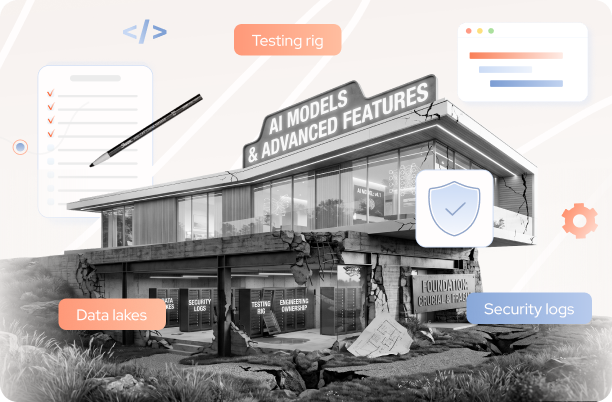
No single tool will speed up a .NET migration. Progress depends on how well the workflow is structured and how consistently teams follow it.
Teams that move forward without delays focus on a few core principles:
- Keep changes small and deployable
- Validate behavior continuously through testing and CI/CD
- Address architectural constraints early instead of postponing them
- Use automation to reduce effort, not to replace engineering decisions
When these elements are in place, migration becomes predictable. Issues are easier to trace, fixes are faster to apply, and progress remains steady.
Before introducing a new tool, check where it fits in the workflow. If it simplifies a step or removes manual work, it adds value. If it creates another layer to manage, it will slow things down.
If you’re planning a .NET migration or already dealing with unexpected slowdowns, TYMIQ’s engineering team can help assess your current setup and define a clear, workable path forward – just drop us a line.


.svg)


