


.png)

How do you know if migrating your .NET application will pay off, or become a long-term cost burden? The answer does not come from architecture diagrams or tooling choices. It comes from understanding cost, risk, and expected return before the work begins.
Engineering teams often focus on frameworks, hosting models, and performance. Decision-makers need clarity on cost structure, payback period, and risk exposure. Without this view, migration becomes a technical initiative without a measurable business outcome.
Costs appear early and are visible. Benefits appear later and depend on execution quality. This timing gap often creates misalignment between expectations and results. A structured evaluation helps you plan for this gap and manage it – and that’s exactly what we’re going to discover in this dedicated piece.
The main cost components of .NET migration
Organizations are not exploring .NET migration in isolation. The discussion is driven by broader financial and operational pressure. Today, cloud migration represents a shift from capital-intensive infrastructure to usage-based operating models, which directly affects how IT spending is planned and controlled.
At the same time, cloud adoption continues to accelerate, with many companies increasing budgets and prioritizing migration as part of long-term modernization strategies. These trends explain why migration decisions are now reviewed at the executive level, where ROI, cost predictability, and risk exposure matter as much as technical feasibility.
In practice, this shift becomes visible soon after migration. A common scenario involves a .NET application moved to the cloud using a lift-and-shift approach. Infrastructure is provisioned to match the previous on-premise capacity, and the system runs without major issues. Within a few months, cloud costs exceed the original infrastructure budget, which quickly raises concerns at the executive level. We have covered this scenario, along with other common migration pitfalls, in one of our recent materials. You can explore those insights here.
In this context, migration cost is not limited to the initial move. Without clear visibility into where costs originate and how they evolve, the expected ROI becomes difficult to achieve, so let’s walk through this in more detail.
Direct migration costs
Direct costs include engineering time, external support, tooling, and infrastructure setup. These are the easiest to estimate and often drive the initial business case.
Refactoring increases cost. Legacy dependencies, outdated libraries, and architectural constraints require changes before migration. These changes affect both timeline and budget.
For larger systems, this phase can span several months and involve multiple teams. Backend, DevOps, QA, and security all contribute to delivery.
Indirect costs and operational impact
Indirect costs are less visible but often more significant. Teams spend time learning new environments, adjusting pipelines, and resolving issues that appear after deployment.
Productivity often drops during transition. Engineers support the existing system and build the new one at the same time. This reduces delivery speed and affects business timelines.
For example, a team may need to maintain a legacy .NET framework service in production, fixing incidents and applying patches, while simultaneously refactoring the same logic for .NET Core and adapting it to new infrastructure. Context switching between two runtimes, deployment models, and debugging approaches slows development and increases the risk of defects in both environments.
Simultaneously, operational teams need to learn new tools, adjust established routines, and respond to incidents in unfamiliar environments. A 2026 study by Dr. Liz Wall from The Association for Business Psychology shows that continuous change increases cognitive load and leads to “change fatigue.”
This added strain affects how teams perform. Response times slow down, small errors become more frequent, and stability can dip until teams adapt to the new environment.
Post-migration optimization costs
After migration, systems require tuning. This includes cost optimization, performance improvements, and architectural adjustments.
Without this phase, cloud costs often exceed expectations. Performance can degrade due to latency, connection limits, or inefficient queries.
Budgeting for post-migration work is critical. It should be treated as part of the investment, not as an optional extension.
By the way, do you know how to apply the Pareto principle to reduce cloud costs? Our experts have shared practical recommendations that you can apply directly in your cloud environment, especially during post-migration optimization and ongoing cost management.
Downtime risk and its financial impact
Downtime is one of the most measurable risks. According to the Uptime Institute Annual Outage Analysis, more than half of reported outages cost over 100,000 dollars, and around one in five exceed one million dollars.
For revenue-generating systems, the impact is immediate. Lost transactions, customer churn, and recovery efforts all contribute to cost. Even short disruptions can offset expected savings.
Consider a service generating 120,000 dollars per hour. A two-hour outage during migration results in lost revenue and recovery costs that exceed initial estimates.
Where does it take root? It appears during cutover and early operation. During cutover, traffic shifts to the new system, and several risks tend to surface:
- Configuration mismatches between environments
- Data inconsistencies during migration or synchronization
- Dependency failures across services and external systems
After deployment, systems face real traffic. Issues that were not visible in testing can cause partial outages. The most common triggers include:
- Connection pool exhaustion under load
- Misconfigured timeout and retry policies
- Unstable or slow external integrations
These issues are rarely visible in pre-production and typically emerge under real usage conditions.
Based on our experience at TYMIQ, teams can reduce this uncertainty by estimating acceptable downtime early and preparing for likely failure scenarios. The following recommendations outline how to approach this in a structured way.
1. Start with business metrics
Calculate revenue per hour and the operational impact of disruption. Include customer support costs and potential SLA penalties.
A simple way to estimate downtime cost is:
For example, if your system generates 50,000 dollars per hour and operational impact adds another 10,000 dollars, a 3-hour disruption results in 180,000 dollars in direct loss. This gives you a concrete baseline for decision-making.
2. Define acceptable downtime thresholds
These thresholds guide the migration strategy. For critical systems, phased rollout or blue-green deployment reduces exposure.
3. Last, but not least: testing
Simulate realistic traffic and failure scenarios before cutover. This reduces uncertainty and improves recovery planning.
Focus on scenarios that reflect real pressure, such as peak load, degraded dependencies, and partial service failures, so you understand how the system behaves before these conditions occur in production.
Security risk and cost exposure

When your system moves to the cloud, its exposure expands – just like moving from a closed office building to a space with multiple public entrances. What was once accessible only inside your network is now reachable through APIs, identity layers, and external endpoints.
Components that were previously internal become reachable through network interfaces, APIs, and identity layers. This increases the number of entry points that must be secured and continuously monitored.
Security incidents have a direct financial impact. IBM Security announced that the global average cost of a data breach reached 4.7 million dollars in 2025.
Beyond direct financial loss, organizations face regulatory penalties and reputational damage. These factors extend recovery time and increase total cost.
To reduce exposure after migration, focus on a few core security principles:
- Least privilege access
Grant only the permissions required for each service and user. Review roles regularly to prevent unnecessary access.
- Secure configuration by default
Validate network rules, storage access, and service endpoints. Avoid relying on default settings, as they often leave gaps.
- Centralized secret and identity management
Store credentials in managed services and enforce strong identity controls across all components.
These principles provide a baseline, but real security depends on how they are applied in your environment.
If you are unsure how your system stands after migration, a focused security audit can help identify gaps early. Reviewing access, configurations, and exposure points gives you a clear view of risks and the steps needed to reduce them.
How to manage cost overrun risk in cloud environments
Before committing to a .NET migration, you need a clear view of cost, risk, and expected outcomes. A structured checklist helps validate assumptions and reduces the chance of gaps appearing later.
Review the following areas carefully:
- Cost baseline is defined
You understand current infrastructure, maintenance, and operational costs, including hidden expenses.
- Migration scope is clear
Dependencies, integrations, and data flows are mapped and validated before planning timelines.
- Downtime tolerance is calculated
Revenue impact per hour is known, and acceptable downtime thresholds are defined.
- Performance baseline is measured
Current system performance under load is documented to compare post-migration results.
- Security risks are assessed
Access controls, data exposure, and compliance requirements are reviewed before migration.
- Delivery process is prepared
CI and CD pipelines, rollback strategies, and monitoring are aligned with the new environment.
This checklist does not guarantee success, but it highlights the areas where most issues originate. Teams that address these points early reduce uncertainty and improve predictability.
Before moving forward, take a moment to reflect on your current system:
- Do you know how your costs will change when traffic grows or fluctuates?
- Can your team detect and resolve failures within a defined time frame today?
- If a critical component fails after migration, do you know exactly how your system will respond?
Execution risk and timeline uncertainty
Legacy systems often carry hidden complexity. Many dependencies are undocumented, and their behavior only becomes visible during migration. This creates uncertainty and increases the likelihood of delays.
Most execution risk comes from dependencies and integrations. External APIs, databases, messaging systems, and third-party libraries must all work correctly in the new environment. If these connections are not fully mapped and tested, failures appear late, often during deployment or under real traffic.
This is where timelines start to shift. Delays do not come from a single issue, but from a chain of small gaps that surface one after another. Each unresolved dependency increases effort, extends delivery, and adds cost. Over time, this directly impacts ROI by postponing expected benefits and increasing total investment.
Execution risk usually concentrates in a few areas:
- Hidden dependencies between services and databases
- Legacy libraries incompatible with the modern runtime
- Integration points based on undocumented behavior
- Data migration complexity, especially with large datasets
For example, a .NET system may rely on a background job scheduler tightly coupled with database state. After migration, this dependency can fail under distributed conditions, leading to data inconsistencies.
These risks are predictable when you approach migration systematically.
To reduce execution risk, focus on a few practical actions:
- Map dependencies at both data and service levels before defining timelines
- Run partial migrations in isolated environments to uncover hidden behavior
- Validate integrations under load, not only through functional testing
- Treat data migration as a separate workstream with dedicated validation
Teams that follow these practices identify issues earlier, which leads to more stable timelines and better cost control.
ROI drivers of .NET migration
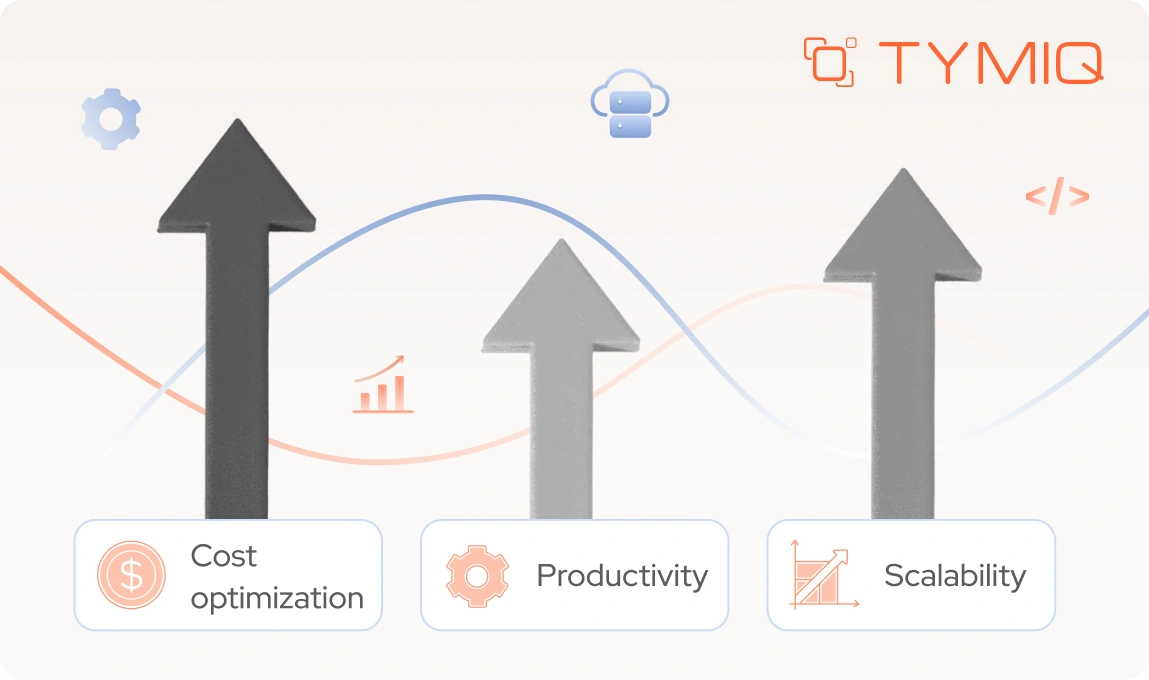
1. Infrastructure cost optimization
Cloud platforms allow cost optimization through dynamic scaling and pricing models. When configured correctly, resources align with demand.
Savings depend on usage patterns and continuous optimization efforts. Without these, cost reductions remain limited.
2. Developer productivity and delivery speed
Modern platforms improve development workflows. Automation, CI/CD pipelines, and improved tooling increase delivery speed and reduce manual effort.
Faster delivery supports business responsiveness and reduces time to market.
3. Scalability and business growth
Cloud platforms support growth without a large upfront investment. Systems can scale based on demand and support new workloads as needed.
This flexibility supports business expansion and improves the ability to handle traffic variability.
How to calculate ROI for .NET migration
ROI is easier to assess when you break it into clear components. At a basic level, you compare what you invest with what you gain over time.
The standard formula looks like this:
This gives you a starting point, but numbers alone are not enough. To make informed decisions, you need to validate these assumptions.
Consider a mid-sized .NET application currently running on-premise:
- Annual infrastructure cost: 600,000 dollars
- Annual maintenance and support cost: 400,000 dollars
- Total yearly cost: 1,000,000 dollars
Migration estimate:
- One-time migration cost: 1,200,000 dollars
- Post-migration cloud infrastructure: 420,000 dollars per year
- Reduced maintenance due to modernization: 250,000 dollars per year
The new yearly operating cost becomes 670,000 dollars. This creates an annual saving of 330,000 dollars.
Now calculate the payback period. Divide the migration cost by annual savings:
1,200,000 divided by 330,000 equals approximately 3.6 years.
This gives a baseline. You can refine it further by including risk factors.
Add downtime risk:
- Estimated migration-related downtime: 4 hours
- Revenue impact: 80,000 dollars per hour
- Downtime cost: 320,000 dollars
Adjusted investment becomes 1,520,000 dollars. The payback period increases to 4.6 years.
Now include performance improvement benefits. If improved response time increases conversion by even 2%, the revenue gain can offset part of the delay. This is where business context matters.
This example shows a clear principle: ROI is not static. It changes based on execution quality, performance impact, and cost control after migration.
To make your estimates more reliable, focus on a few practical steps:
- Separate short-term costs and long-term benefits
Migration costs are concentrated in the early phase. Benefits usually appear over a longer period, often two to three years. - Model multiple scenarios
Use conservative and optimistic estimates to understand the range of possible outcomes. This helps you prepare for variance in cost and performance. - Calculate the payback period
Determine how long it takes to recover the initial investment. This gives a clear view of when the migration starts to deliver financial value. - Define the break-even point
Identify when cumulative benefits match total costs. This helps align expectations across engineering and business stakeholders.
Successful vs failed .NET migration: what to expect
Talking about scenarios, it helps to walk through a few typical ones. They show how different decisions can lead to very different outcomes.
If you are considering migration, these scenarios give you a quick way to sense where things can go right and where they can drift off track.
Scenario №1 (a controlled migration with predictable ROI)
A SaaS platform migrates from .NET Framework to a cloud-native architecture. The team invests time in preparation:
- Dependency mapping completed before migration
- Performance baseline established
- CI/CD pipelines updated before cutover
Migration is executed in phases. Each phase includes validation and rollback capability. Post-migration, the team focuses on cost optimization and scaling policies.
Outcome:
- Migration completed within planned timeline
- Infrastructure cost reduced by 28% within the first year
- Deployment frequency increased, improving delivery speed
ROI is achieved within three years. Risk exposure remains controlled throughout the process.
Scenario №2 (migration without structured preparation)
An enterprise application is migrated using a lift-and-shift approach. The focus is on speed rather than system readiness:
- No detailed dependency mapping
- Limited performance testing before migration
- Existing deployment process carried over without change
The system works initially, but issues appear under load. Database latency increases, and integration failures affect core workflows.
Outcome:
- Cloud cost increases by 35% due to over-provisioning
- Performance degradation leads to customer complaints
- Additional refactoring required post-migration
ROI is delayed beyond five years. The organization spends additional budget to stabilize the system.
Scenario №3 (based on both scenarios)
Across projects, the difference between success and failure is rarely technical capability. It is preparation and execution discipline.
Make a note on the TYMIQ expert tips to focus on:
- Define a clear baseline for performance, cost, and reliability before migration
- Separate migration and optimization phases, and budget both
- Validate system behavior under real traffic conditions before full rollout
- Assign ownership for cost and performance after migration
These actions reduce uncertainty and improve confidence in ROI projections.
However, there’s another point to consider: whether migration makes financial sense at all. Let’s take a high-level look at the comparison.
Use this comparison to guide decision-making. If most conditions fall into the left column, migration is likely justified. If they align with the right column, focus first on stabilizing and optimizing the existing system before committing to migration.
Final decision framework
Before approving migration, decision-makers should confirm several points:
- What is the total cost of migration, including optimization
- What risks could impact cost and timeline
- What is the expected payback period
- How will performance and reliability be validated
Migration decisions require alignment between cost, risk, and expected value. Each factor should be evaluated in the context of business priorities.
If some of these answers are still unclear, it often helps to discuss them with teams that have gone through similar transitions.
At TYMIQ, we work with organizations at different stages of migration, helping them validate assumptions, identify risks early, and make decisions based on real system behavior. Even a short free conversation can bring clarity and help you move forward with more confidence.


.svg)


