


.png)


Why these three technologies block modernization more than anything else
In enterprise .NET portfolios, the same names surface again and again when modernization stalls: WCF, WebForms, WinForms. Actually, this is not because teams ignored best practices, but because these technologies were never just libraries you could swap out. They are platform contracts that shape how the entire system behaves, is deployed, and is consumed.
Most successful .NET upgrades involve replacing dependencies, updating APIs, and adjusting build pipelines. Powered with WCF, WebForms, and WinForms, the framework itself defines the architecture. So, when you try to “just upgrade the framework,” you hit a structural wall.
These are platform contracts, not optional components
Each of the three technologies couples application logic to assumptions that modern .NET no longer makes.
It ties together transport choices, security models, configuration, metadata exchange, and client generation in one system. Many enterprises depend on features like net.tcp, duplex callbacks, message-level security, and custom bindings. Their client ecosystems are built around WSDL files and generated proxies.
When server-side WCF support disappears in modern .NET, you are not simply losing an API. You are losing the contract model that your clients were built around and still rely on.
WebForms is built on the System.Web pipeline and assumes IIS hosting from the start. Its page lifecycle, server controls, ViewState, and postback model work as one tightly coupled execution model.
In many projects, business logic ends up in code-behind files, event handlers, and even in the markup. Over time, the UI and core logic become intertwined. Because of that, removing WebForms is not just replacing a front-end layer. It means removing the execution model the application depends on.
Modern .NET does not support ASPX or ASCX at all. As a result, calling this a “port” is misleading. In practice, it usually means redesigning and rewriting.
WinForms may look simpler, but it carries its own constraints. It is tied to the Windows UI stack, GDI rendering, designer-generated code, and long-standing integrations with COM, ActiveX, and native libraries.
Although modern .NET still supports WinForms, it does so only on Windows. That single limitation can eliminate containerization, Linux hosting, and many cloud strategies before the migration discussion even begins.
Why the pain is sharper in B2B enterprise environments
These technologies became common in B2B systems for a reason. At the time many mission-critical platforms were built, they were stable, expressive, and well supported. Over the years, however, that stability gradually turned into inertia.
Enterprise environments make change harder, not easier. Client fleets are large and expected to run for years. External partners integrate through formal contracts that cannot be adjusted casually. In regulated industries, audit requirements, security controls, and approval cycles often stretch for months. Downtime is tightly controlled, rollback plans are mandatory, and experimenting in production is simply not acceptable.
As a result, every architectural choice carries weight. When a WCF service supports hundreds of internal consumers and dozens of external ones, even a small change can ripple outward. When a WebForms application has evolved for fifteen years with limited test coverage, UI logic slowly turns into a dependency magnet. When a WinForms client is deployed across controlled environments, even a minor installer update introduces operational risk.
Skill scarcity and vendor lock accelerate the pressure
Another force is working in the background. The talent pool for these technologies is shrinking. Senior developers who truly understand complex WCF bindings, the WebForms page lifecycle, or large WinForms codebases are becoming harder to find and even harder to replace. At the same time, the surrounding ecosystem keeps moving forward. Third-party controls lose support, security guidance assumes modern frameworks, and tooling investment shifts elsewhere.
This creates a tension that enterprises feel very clearly. If you stay where you are, operational and hiring risks continue to grow. If you move forward, architectural and delivery risks increase. As a result, many organizations hesitate for years, until pressure builds and a rushed “upgrade” initiative begins, treating these systems as if they were ordinary applications.
That is usually when budgets start burning without visible progress, because the real constraints were never technical alone.
Why these three dominate “can’t-upgrade” inventories
Across modernization assessments, WCF, WebForms, and WinForms regularly show up at the top of blocked or failed upgrade lists. The reason is straightforward. Each of them is built on assumptions that modern .NET has deliberately left behind.
Server-side WCF is not supported in modern .NET, so staying with it is not an option. Moving away from it requires choosing an alternative such as CoreWCF, gRPC, or ASP.NET Core, and each of those paths forces explicit architectural decisions. WebForms is not supported at all, which means you are not upgrading the UI layer. You are replacing its entire programming model. WinForms is still supported, but only within a Windows-only boundary, and that constraint alone can shape or limit your broader strategy.
By contrast, MVC applications, background services, and class libraries usually fail in predictable, mechanical ways during migration. You fix namespaces, update packages, adjust configuration, and move forward step by step. It is work, but it is linear work.
Why they are disproportionately expensive to modernize
The cost of modernization is not driven by how many lines of code you have. It is driven by how wide the system reaches and how deep its dependencies run.
WCF migrations tend to fail when teams underestimate the impact on clients and the complexity of security semantics. What looks like a service rewrite often turns into a contract renegotiation with every consumer. WebForms migrations fail when teams assume they can move pages one by one without rethinking behavior. In reality, UI logic is often intertwined with state management and event flow, so copying pages does not reproduce the system. WinForms migrations fail when hidden dependencies on the Windows desktop stack surface late, usually during integration or deployment testing, when changes are more expensive.
In all three cases, the real work begins before a single line of code is rewritten. You need to identify which contracts are untouchable, which behaviors can evolve, and which legacy assumptions must be retired. That clarity shapes the path forward. Without it, upgrades stall, accidental rewrites begin, and timelines start slipping for reasons that feel mysterious but are entirely structural.
Why “just upgrade the framework” does not work
In most enterprise teams, the first instinct is mechanical. You retarget the project, fix the compile errors, run the tests, and deploy. That approach works for many .NET workloads, so it feels natural to apply the same playbook here.
With WCF, WebForms, and WinForms, however, that mindset often leads to months of wasted effort.
The issue is not a lack of skill, effort, or tooling. The issue is the assumption behind the plan. A typical framework upgrade assumes the runtime model remains compatible and that you are mainly resolving API differences. With these technologies, that assumption breaks down. The runtime model either changes significantly or disappears entirely.
What teams usually try first
The pattern is familiar.
First, you retarget the project to a modern framework version. Then you run an upgrade tool and let the compiler point out what needs attention. Errors are resolved one by one. NuGet packages are updated. Configuration files are adjusted until, eventually, the application builds again.
At this point, the migration often feels successful. The build is green. A portion of the unit tests pass. A local smoke test may even appear to work.
That early success is misleading.
What you have proven is that the code compiles against a new runtime. You have not yet proven that the system behaves correctly within it. Once the application is exercised under real conditions, deeper failures start to surface. Integration points break. Runtime assumptions no longer hold. Behaviors that relied on the old execution model begin to drift.
What actually breaks, and why it is not obvious
Hosting models change in ways that are not immediately visible. WCF services no longer operate under the same assumptions about ServiceHost, IIS integration, or metadata exposure. Configuration shifts from declarative XML toward code-based setup, which means behavior is no longer defined in the same place or in the same way. Authentication and authorization also behave differently because the underlying request pipeline has changed. Even if the code compiles, the execution context is no longer equivalent.
In WebForms scenarios, the disruption is more fundamental. The execution model itself is gone. There is no page lifecycle to repair and no ViewState mechanism to restore. Even when shared libraries upgrade cleanly, the application has no compatible entry point. The framework it depended on simply does not exist in modern .NET.
WinForms upgrades appear safer because the framework is still supported, yet risk often hides in runtime details rather than APIs. Designer behavior, control rendering, DPI scaling, threading assumptions, and interop boundaries can shift in subtle ways. These differences rarely surface during compilation. Instead, they emerge during acceptance testing, user pilots, or production rollout, when fixes are slower and more expensive.
In enterprise environments, late discovery is what makes these failures costly.
The enterprise trap. “We must preserve contracts”
One phrase derails more modernization efforts than any other. “We must preserve contracts.”
For WCF, that usually means WSDLs, bindings, message formats, and security semantics. For WebForms, it means postback behavior, URLs, and session handling. For WinForms, it means user workflows that depend on exact UI behavior, keyboard handling, or printing output.
Preserving contracts is often a valid requirement. External consumers, regulated integrations, and certified workflows leave little room for change. The mistake is assuming that preserving contracts is compatible with a framework-only upgrade.
Modern .NET does not provide drop-in replacements for these contracts. If you need to keep them, you are no longer upgrading. You are designing a compatibility strategy.
The decision most teams postpone, and should not
Every successful migration that involves these technologies starts with one clear decision, and it usually happens in the first week.
Do you preserve the existing behavior exactly as it is, bridge it into modern .NET with minimal change, or replace it with something new?
A typical framework upgrade process tries to postpone that question. The tools reinforce this by focusing on project files, package references, and API compatibility. You fix what the compiler highlights, and it feels like progress. However, even Microsoft’s guidance for WCF makes it clear that moving to CoreWCF requires manual work and architectural adjustments. The tooling helps you begin the journey. It does not complete it for you.
If you don’t make a deliberate choice early, the migration process will make one on your behalf. That is how teams drift into partial rewrites they never planned, or quietly commit to Windows-only deployments without fully considering the long-term impact. The absence of a decision is still a decision, and in these cases it tends to be an expensive one.
How to spot a rewrite requirement early
There are clear signals that “just upgrade” is the wrong strategy.
If your WCF services rely on advanced bindings, custom behaviors, or message-level security, you are already outside the safe migration path. Those features rarely translate directly and usually require deliberate redesign. If your WebForms application embeds business logic inside page events, you are not simply moving a UI layer. Instead, you are rethinking how the application flows and where decisions belong. If your WinForms system depends on aging third-party controls or deep COM integration, testing alone can dominate the schedule because small runtime differences have wide effects.
These warning signs are not hidden. You can see them early in configuration files, project references, and deployment assumptions. They reveal how tightly the system is coupled to its original environment. Ignoring those signals does not make the scope smaller. It only postpones the moment when reality catches up with the plan.
Modernization begins to work when teams stop asking how to upgrade and start asking what must remain true after the system changes. Which contracts cannot break. Which behaviors define correctness. Which constraints are non-negotiable. Until those answers are clear, framework upgrades will continue to fail for reasons that seem surprising but are entirely predictable.
At TYMIQ, modernization rarely starts with code. It starts with constraints. Deployment boundaries, regulatory obligations, uptime guarantees, and client ecosystems define the solution space long before a target framework is selected. Once those boundaries are explicit, the technical path becomes clearer and the risks become manageable rather than accidental.
From the field. Why “just upgrade” fails in mission-critical environments
On the Copperchase ATC-IDS program, the first instinct was the same one we see in many enterprises. Retarget the runtime, update packages, fix compilation, and move on. That approach collapsed quickly, not because the code was exotic, but because the operating constraints were non-negotiable.
Treating the migration from .NET Framework to modern .NET as a framework upgrade project.
The system behaved inconsistently across airport environments, and stability could not be guaranteed with a single cutover. Any “upgrade then switch” plan implied operational disruption.
In live ATC settings, the runtime is only one part of the contract. The real contract includes uptime expectations, deployment repeatability across heterogeneous environments, and the ability to keep trusted information access uninterrupted. A mechanical upgrade does not address those constraints.
We executed a parallel migration. The legacy system stayed fully operational while the modernized version was introduced and validated incrementally. We also took full responsibility for deployment and ongoing support, because ownership is part of the risk model in regulated operations.
Modernization progressed without disrupting ongoing operations. The client retained continuity while gaining a stable path to a modern stack, validated under real conditions rather than assumptions.

Enterprise decision tree. Keep, bridge, or replace
Once teams recognize that a purely mechanical upgrade will not be enough, a different risk tends to surface. The organization agrees that change is necessary, yet hesitates to commit to a specific direction because each option carries long-term consequences. Leaders worry about choosing a path that may age poorly, constrain future strategy, or quietly expand into an unintended rewrite.
This hesitation is often where enterprise migrations either move forward with clarity or lose momentum. The outcome is rarely determined by tooling. It depends on whether the team can select a strategy that aligns with the constraints already shaping the system.
In reality, there are only three viable paths. You can keep the existing technology and operate within its limits. You can bridge it into the modern stack with carefully managed compromises. Or you can replace it with a different architectural model. The mistake is treating these paths as abstract preferences rather than responses to concrete conditions.
Inputs that should drive the decision
Before discussing solutions, you need a clear picture of the forces acting on the system. These inputs are usually knowable within the first few weeks, even in large organizations.
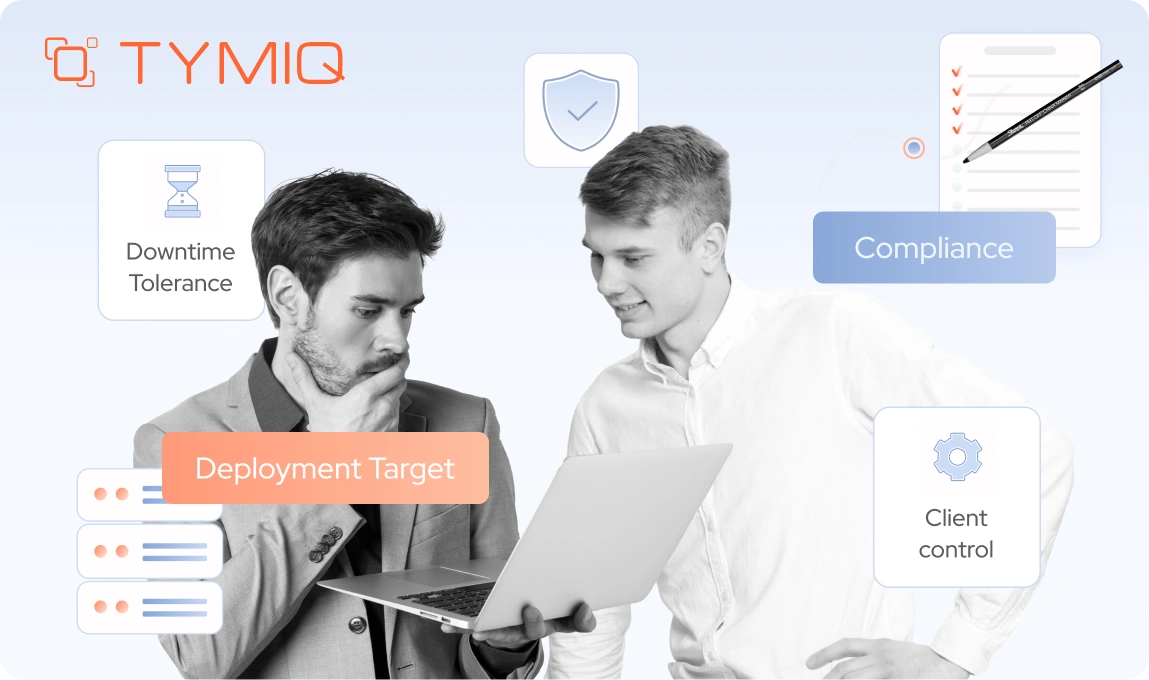
Deployment targets
Start with where the system must run. If the workload is constrained to Windows servers for the foreseeable future, some options remain viable that are otherwise eliminated. If containers, Linux hosting, or cloud-native deployment are hard requirements, any dependency on Windows-only stacks becomes a blocking issue, not a technical inconvenience.
Security and compliance requirements
Many WCF systems exist because of WS-* features, message-level security, or legacy authentication models that were once mandatory. Modern OAuth and JWT-based approaches simplify operations, but they are not always acceptable immediately. If regulators, auditors, or partners require specific security semantics, that sharply limits replacement options.
Client ecosystem size and control
How many consumers exist, and who owns them. Internal services with coordinated release cycles behave very differently from external integrations maintained by third parties. The less control you have over consumers, the more valuable compatibility becomes, and the more cautious replacement strategies must be.
Release and operational constraints
Downtime tolerance, rollback requirements, and incident response expectations matter early. A system that must support zero-downtime releases and rapid rollback cannot absorb high-risk, all-at-once migrations. This often rules out aggressive replacement, even if it looks cleaner on paper.
These inputs are not theoretical. They determine which paths are realistic and which are simply optimistic.
The three paths, and what they actually mean
Once the constraints are clear, the decision space narrows quickly.
Keep. Short-term stabilization on Windows
This path accepts that certain components will remain as they are for now. The focus is isolation, risk reduction, and operational stability. You modernize, build pipelines, improve observability, and reduce blast radius without changing fundamental behavior. This is often the correct move when business risk outweighs architectural ambition.
Keeping is not giving up. It is buying time deliberately.
Bridge. Hybrid architectures and compatibility layers
Bridging means introducing modern .NET alongside legacy behavior instead of replacing it outright. Approaches such as CoreWCF hosting, hybrid WebForms coexistence strategies, or service façades fall into this category. The objective is to preserve existing contracts while moving the runtime, deployment model, and tooling forward. This allows incremental migration and parallel operation, which is often essential in regulated environments or systems with strict downtime limits.
At the same time, a bridge is not an end state. It is a transition structure. If there is no defined next step, the bridge stops being temporary and becomes an additional layer of permanent complexity that the organization must maintain indefinitely.
Replace. Redesign for the long term
Replacement abandons legacy contracts and execution models in favor of modern ones. gRPC or REST instead of WCF. Razor Pages or Blazor instead of WebForms. New UI stacks instead of WinForms. This path delivers the cleanest end state, but it demands the most coordination, testing, and stakeholder alignment.
Replacement works best when client control is high and long-term platform goals justify the investment.
When each choice makes business sense
Bridging turns into technical debt when it becomes a way to postpone decisions indefinitely. Keeping a legacy technology turns into negligence when it prevents necessary security, compliance, or operational improvements. Replacing a system becomes reckless when it ignores client dependencies, integration contracts, and delivery constraints.
In practice, the right strategy is often a combination. A system might keep a WinForms client on Windows, bridge WCF services to CoreWCF to stabilize contracts, and gradually replace public APIs with REST. That is not an inconsistency but an architecture adapting to real constraints rather than following a single doctrine.

WCF deep dive. Why enterprises get stuck
WCF migrations often fail for a reason that is easy to underestimate. WCF is not just a service framework in the way modern platforms define one. It combines communication patterns, security models, configuration, hosting assumptions, and client generation into a single, tightly coupled system.
Most enterprises do not use the simplest parts of that system. They rely on advanced bindings, message-level security, custom behaviors, duplex channels, and generated client proxies because those capabilities solved real problems when the platforms were built. The difficulty is that these same features are deeply embedded in the architecture. They shape contracts, client expectations, and deployment models.
WCF is a system, not an endpoint
In many legacy architectures, WCF defines far more than how requests are processed.
Transport decisions such as net.tcp or named pipes are embedded in the design itself rather than treated as implementation details. Duplex callbacks are woven into business workflows. Message-level security, custom credentials, and authorization rules are enforced deep within the stack. Even configuration files play a central role. Large system.serviceModel sections often contain bindings, behaviors, quotas, and throttling rules that collectively define how the system operates.
The client side is just as tightly coupled. Many ecosystems are built around WSDL metadata, generated proxies, and SOAP-based versioning practices. Release coordination, compatibility guarantees, and integration testing all revolve around those contracts. As a result, changing the service cannot be separated from changing its consumers.
When teams say they are migrating a WCF service, they are rarely describing an isolated backend update. In most cases, they are altering an entire integration surface that spans multiple applications and organizational boundaries.
The enterprise features that create lock-in
Certain WCF capabilities show up consistently in systems that stall during migration.
Transport choices such as net.tcp are common in internal environments where performance and connection control were prioritized over interoperability. Duplex contracts often sit at the center of notification-heavy workflows or real-time coordination scenarios. Custom bindings and behaviors tend to accumulate over time, shaped by past security reviews, compliance demands, or partner requirements that may no longer be formally documented but are still enforced in production.
Another recurring pattern is configuration dominance. In many mature WCF systems, configuration effectively becomes the application. Behavior is defined and tuned through XML rather than code, with bindings, behaviors, quotas, and throttling rules interacting in ways that are fragile and not fully understood. Developers approach these files cautiously because small changes can have wide, unpredictable effects.
The difficulty is that these systems are stable. They work well enough that no one has touched the edges in years.
Why migrations break in practice
Most WCF migration failures start with… assumptions.
Teams often assume that existing bindings will map cleanly to modern equivalents. In practice, they rarely do. They expect metadata endpoints to behave the same way after migration, yet differences in how metadata and mex endpoints are exposed can break client generation. They also assume that hosting models can be swapped with minimal consequences, but that assumption tends to fail quickly.
Common failure modes follow a pattern. Binding mismatches may only appear under production load, when connection limits, timeouts, or quotas start to matter. Metadata differences can disrupt proxy generation even when the service itself appears functional. Security settings may compile without errors, yet fail at runtime because the surrounding pipeline behaves differently. Hosting assumptions surface just as fast. A self-hosted service moved into ASP.NET Core does not behave identically, and legacy IIS integration patterns no longer apply in the same way.
These problems are difficult to diagnose because they involve interaction effects rather than isolated defects. A configuration change that appears harmless on its own can break a consumer you did not know existed, especially in environments where service dependencies have grown over many years.
CoreWCF. A bridge, not a drop-in replacement
CoreWCF exists for a clear purpose. It lets you preserve existing SOAP contracts while moving services onto modern .NET and ASP.NET Core hosting. That is valuable, but it is not unlimited.
Feature coverage is partial. Standard scenarios tend to work well, yet advanced bindings, federation setups, and niche behaviors often require manual adjustments or redesign. Configuration also shifts from XML-heavy files to code-based setup. Hosting becomes explicit, and proper testing becomes mandatory rather than optional.
Unfortunately, CoreWCF reduces migration risk, but it does not eliminate architectural decisions. So, don’t treat it as an automatic upgrade path if you don’t want stalled efforts and fragile deployments.
When WCF features should trigger redesign
Some WCF usage patterns are good candidates for bridging. Others are signals to stop and rethink.
If a service uses basic HTTP bindings, simple contracts, and well-understood security, bridging can be safe and effective. If the system depends on complex custom bindings, heavy duplex communication, or message-level security models that no longer align with current requirements, replacement should be considered early.
The hard part is not identifying these features. It is accepting what they imply. WCF migrations fail when teams try to preserve everything by default. They succeed when teams decide, explicitly, which parts of the system deserve to survive unchanged and which ones should not.
WCF migration paths. Pick one primary strategy
Once teams understand why WCF blocks straightforward upgrades, another failure pattern tends to appear. They try to pursue several migration paths at the same time. A partial move to CoreWCF, an experimental gRPC service, and perhaps a new REST endpoint for selected consumers. On paper, this looks flexible and forward-looking. In practice, it distributes risk across too many fronts and slows real progress.
Organizations that succeed with WCF modernization usually commit to one primary direction. Other approaches may exist, but they are clearly secondary or explicitly transitional. The difference is focus. One strategy drives architecture, testing, and communication. The rest support it.
In practice, there are three viable patterns. Each performs well under the right constraints and performs poorly when applied outside them.
1. Bridge. WCF to CoreWCF

This is the most common first step in regulated or integration-heavy environments.
When this is the right call
Bridging works when you must preserve existing SOAP contracts, client code generation, and integration behavior. This includes external partners, certified integrations, or internal ecosystems with dozens or hundreds of consumers that cannot be updated quickly.
What actually changes
Although the contract surface stays familiar, the runtime does not. Hosting moves to ASP.NET Core. Configuration shifts from large system.serviceModel blocks into explicit code and supporting config files. ServiceHost patterns disappear. Metadata handling is more deliberate. Security configuration often needs review, even when the intent is to preserve behavior.
Teams often underestimate this step. The service may look the same to consumers, but operationally it is a new application with a different hosting and deployment model.
Known limitations
CoreWCF does not cover every WCF feature. Complex custom bindings, federation scenarios, and niche behaviors often require manual work or partial redesign. Services are self-hosted rather than deployed as .svc endpoints. Testing effort increases because assumptions that are held for years are no longer guaranteed.
Bridging reduces client risk. It does not eliminate service-side complexity.
2. Replace. WCF to gRPC
This path trades compatibility for performance and long-term clarity.
When this is the right call
gRPC is a strong fit when performance matters, contracts must be explicit, and clients span multiple languages or platforms. It works best when you control most consumers or can introduce new endpoints without breaking existing ones.
How enterprises migrate safely
Successful teams do not switch overnight. They introduce gRPC endpoints in parallel with existing WCF services. An adapter or façade layer maps legacy contracts to new protobuf definitions. Consumers migrate gradually, version by version, while legacy endpoints remain available.
This approach requires discipline. Contract versioning, backward compatibility rules, and rollout coordination must be defined early. Without them, teams recreate the same coupling problems in a new protocol.
3. Replace. WCF to REST with ASP.NET Core
This is the most interoperable option, and often the easiest to operate.
When this is the right call
REST works well when human debuggability, tooling, and broad compatibility matter more than raw performance. It is often preferred for public APIs, partner integrations, and systems that already rely on HTTP infrastructure such as gateways and proxies.
What enterprises underestimate
REST migrations fail when teams treat them as format conversions. The hard work is not JSON serialization. It is API design, versioning strategy, and backward compatibility. URL structure, authentication, pagination, and error semantics must be agreed upon and enforced.
As with gRPC, the safest approach is parallel operation. New REST APIs are introduced alongside existing WCF services. Consumers move over time, not on a single release.
Avoiding the flag day migration
Across all three strategies, one principle holds. Avoid flag day cutovers.
Enterprises that shut down WCF endpoints before consumers are ready create outages, emergency rollbacks, and political resistance to further modernization. The alternative is parallel endpoints, explicit deprecation windows, and telemetry that proves who is still calling what.
Choosing a primary strategy does not lock you in forever. It gives the migration a center of gravity. Without that, WCF modernization becomes an open-ended experiment that never quite finishes, even after the code compiles.
WCF client migration. The part that usually blows up the timeline
Most WCF migration plans concentrate on the server side. That focus is understandable because the service code is visible, centrally owned, and relatively easy to measure. It feels like the obvious place to start. In reality, it is often the smaller risk.
In enterprise environments, the client side is where timelines begin to slip and budgets start to stretch. The difficulty is not that client migration is technically impossible. It’s that its true scope is rarely clear at the beginning. Consumers may exist across departments, subsidiaries, or external partners.
Server migration is contained. Consumers are not
A WCF service is one deployment unit. Its consumers rarely are.
Clients may include internal services, desktop applications, scheduled jobs, partner systems, and vendor-managed integrations. Some are actively maintained. Others have not been rebuilt in years. Many are owned by different teams with different priorities and release cycles.
When teams say, “We will migrate clients later,” what they often mean is, “We do not yet know how many clients exist, or who owns them.”
That uncertainty is what turns a three-month migration into a year-long program.
Step one is not refactoring. It is inventory
Before you change a single contract, you need a clear picture of who is calling what.
In mature enterprise environments, documentation alone is rarely reliable. Accurate inventories come from telemetry, application logs, network traces, and service access records. You need concrete answers. Which endpoints are being called. From which systems. How frequently. Using which bindings and credentials.
This work feels unglamorous, but it pays off immediately. Teams that skip it discover “unknown consumers” late, often after contracts have already changed.
Contract compatibility is a strategy, not a hope
Enterprise WCF systems tend to survive because their contracts remain stable over time. Disrupting that stability without a structured plan introduces real risk.
Successful migrations establish explicit compatibility rules early. Additive changes are favored over breaking ones. Existing operations continue to behave exactly as before. Deprecation windows are defined, communicated, and enforced. Contract-level tests are introduced to validate behavior across versions rather than relying only on compilation or unit tests.
This discipline becomes critical when bridging with CoreWCF. The objective is not merely to make the service run on modern .NET. It is to demonstrate that clients experience no unexpected change in behavior. Compatibility must be proven, not assumed.
Parallel endpoints reduce risk, if managed deliberately
Running old and new endpoints side by side is the safest way to migrate clients at scale. Legacy SOAP endpoints continue to serve existing consumers. New gRPC or REST endpoints are introduced for modernized clients.
This approach shifts risk from a single cutover to a controlled rollout. It also creates clarity, so you can see which consumers have moved and which have not.
The danger is letting parallel operations linger indefinitely. Every additional endpoint is operational overhead. Successful teams pair parallel endpoints with deadlines, ownership, and visibility.
Consumer rollout is an organizational problem
Updating one client is easy. Updating hundreds is not.
Large organizations need a deliberate distribution strategy. Shared client libraries or SDKs must be properly versioned and published through controlled channels. Upgrade guidance has to be precise and practical, not theoretical. Rollouts should be staged, monitored, and reversible. In some cases, migration also requires alignment with external partners who operate on fixed release schedules and compliance cycles.
This is where many projects stall. The technical solution exists, but no one owns the rollout end to end.
Knowing when it is safe to turn things off
The final question is deceptively simple. How do you know no one is using the old endpoint?
The answer is evidence. You need telemetry that shows zero traffic over a clearly defined window. You need logs that confirm no authentication attempts. You need monitoring that will immediately flag regressions if a forgotten consumer suddenly reappears.
Until that evidence exists, shutting down an endpoint is a calculated risk at best and a gamble at worst.
WCF client migration is rarely glamorous. It is methodical, detail-oriented, and heavy on coordination. At the same time, it determines whether modernization remains controlled or turns into a chain of emergency fixes. Teams that account for this effort early tend to move steadily. Teams that ignore it often face the cost later, when flexibility is limited and pressure is high.
WinForms deep dive. Modern .NET helps, but it stays Windows-only
WinForms occupies an awkward middle ground in enterprise modernization. Unlike WCF or WebForms, it is not deprecated. Unlike most modern UI stacks, it does not align with cross-platform or cloud-first strategies. That tension explains why WinForms migrations often start confidently and then slow down sharply.
Moving WinForms to modern .NET improves maintainability and tooling. It does not change the fundamental nature of the application.
What you actually gain by moving WinForms to modern .NET
Upgrading WinForms applications to modern .NET versions delivers real benefits.
You move to a supported runtime with a predictable lifecycle. Tooling improves, especially in builds, dependency management, and diagnostics. SDK-style projects reduce configuration overhead, and NuGet resolution becomes more reliable. Performance behavior is generally more consistent. Over time, maintenance becomes easier, particularly as older .NET Framework versions fall out of support.
For companies managing large desktop fleets, these improvements are not cosmetic. They lower operational risk and slow the steady technical decay that accumulates when platforms remain frozen for too long.
What they do not do is change the strategic footprint of the application.
The hard limit. WinForms is Windows-only
WinForms remains tied to the Windows desktop stack, and modern .NET makes that dependency explicit through Windows-specific target frameworks such as net8.0-windows and net9.0-windows. If your modernization goals include Linux containers, browser-based delivery, or true cross-platform desktop support, WinForms does not align with that end state.
This limitation is not caused by missing tooling. Actually, it reflects a deliberate platform boundary.
Many enterprises discover this late, after investing significant effort into upgrades. At that point, the choice becomes uncomfortable. Accept a Windows-only future for the UI, or plan a second migration to a different presentation layer.
Why WinForms upgrades break in real systems
Most WinForms migration issues are not about syntax. They stem from assumptions that accumulated quietly over years of stable operation.
Third-party controls are a common blocker. Some vendors delay support for modern .NET, while others discontinue products entirely. Even when support exists, designer-generated code can behave differently after an upgrade, leading to subtle layout or rendering inconsistencies. Changes in DPI handling, default fonts, or scaling behavior are especially visible because users notice them immediately.
Interop boundaries create another layer of risk. COM components, ActiveX controls, native libraries, printing subsystems, and custom graphics integrations often remain invisible until late-stage testing. They function reliably for years, which makes them easy to overlook. When they break, troubleshooting requires specialized knowledge that many teams no longer have in-house.
These issues rarely appear as clean compile-time errors. They surface during user acceptance testing, pilot rollouts, or even production deployment, when reversing changes is more disruptive and costly.
The three viable modernization paths for WinForms
Successful enterprises treat WinForms modernization as a set of choices, not a single upgrade.
- Upgrade in place to modern .NET
This is the lowest-risk option when the application must remain a desktop client and Windows-only is acceptable. The focus is runtime support, tooling, and maintenance. UI behavior is preserved as much as possible. This path works well when business logic is already reasonably separated from presentation.
- Extract business logic behind the UI
Many WinForms applications embed domain logic directly in forms and event handlers. Extracting that logic into services or shared libraries creates a seam. The WinForms UI becomes a shell, while the core functionality becomes testable and reusable. This reduces risk now and keeps future replacement options open.
- Replace the UI entirely
This is the most expensive option and the least reversible. It makes sense when distribution models, user expectations, or platform strategy have clearly outgrown desktop delivery. Web-based or modern desktop alternatives become viable only after the application’s core logic has been separated from the UI.
Choosing the right first move
A common mistake is treating UI replacement as the starting point. For large WinForms systems, that almost always fails.
The safest first step is usually extraction. Identify the seams where business rules, data access, and integration logic can be pulled out with minimal behavioral change. Once that work is done, upgrading the WinForms shell becomes easier, and replacing it later becomes possible.
WebForms deep dive. Why “porting” is not a thing
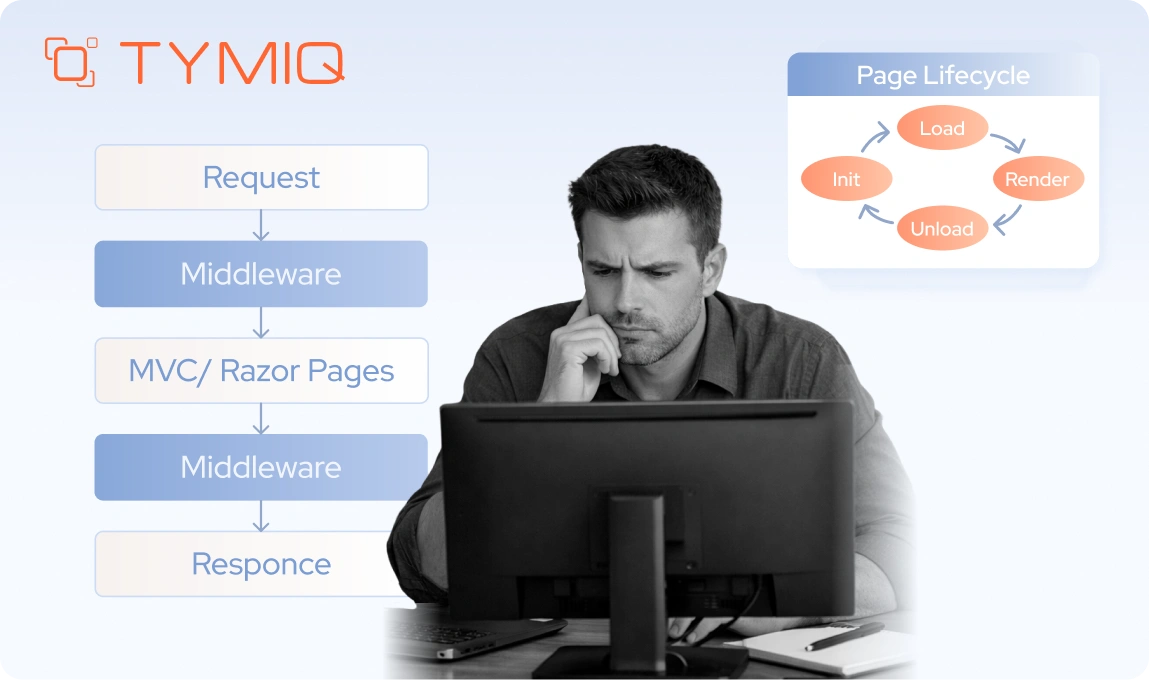
If WCF migrations fail quietly and WinForms migrations fail gradually, WebForms migrations fail conceptually. The problem is not tooling or effort. The problem is that the WebForms programming model does not exist in modern .NET.
That single fact invalidates most upgrade plans before they start.
Why WebForms blocks upgrades by design
ASP.NET WebForms was designed around assumptions that modern .NET intentionally left behind.
The framework depends on System.Web, close coupling with IIS, and an execution model built around the server-side page lifecycle. ViewState carries UI state across requests. Postbacks trigger control events. Server controls hide raw HTML behind a stateful, event-driven abstraction that only functions within that specific pipeline.
Modern .NET does not implement this model. There is no direct replacement for ASPX or ASCX pages, and WebForms cannot be hosted inside ASP.NET Core. Once you move beyond .NET Framework, the original UI layer no longer has a compatible runtime environment.
This is why “porting” WebForms is a misleading term. There is nothing to port to.
Why this breaks enterprise timelines
In enterprise systems, WebForms rarely stops at presentation.
In many WebForms applications, business logic lives directly inside code-behind files, page events, and user controls. Validation rules are attached to server controls rather than isolated in domain layers. Authentication checks and session state are intertwined with the page lifecycle. Even URL structures and navigation flows tend to evolve implicitly instead of being deliberately designed.
Test coverage is often limited because the model makes isolation difficult. As a result, the application surface becomes large and tightly coupled. You cannot move parts of it incrementally without first changing how the system behaves at a fundamental level.
You can easily underestimate this complexity because the application appears stable. Pages render correctly. Users click buttons and complete workflows. Everything seems contained. Only when migration begins does it become clear that UI structure, control flow, and business rules are deeply intertwined and cannot be separated without redesign.
Viable targets. All require a UI model change
Since WebForms cannot run on modern .NET, migration always implies a new UI model.
Razor Pages or MVC
These are often the safest targets for enterprise systems. The request-response model is explicit. Routing is clear. Pages can be rewritten incrementally. This approach works well when teams want predictable behavior and straightforward testing.
Blazor
Blazor often appeals to teams that are used to event-driven models. Its components, state management, and event handling feel conceptually closer to WebForms than traditional MVC does. Blazor Server can be particularly attractive in environments where server-side execution and centralized control are important. At the same time, adopting Blazor still requires redesign. WebForms concepts such as ViewState, page lifecycles, and server controls do not map directly to Blazor components.
The important point is not which framework you choose. It is accepting that the UI model changes, and planning accordingly.
Incremental modernization without breaking everything
Did you know that full rewrites fail more often than they succeed, especially in enterprise environments? Companies that modernize WebForms safely tend to use incremental patterns instead of big-bang replacements.
The most common pattern is the strangler approach. New features are built in a modern ASP.NET Core application while the legacy WebForms system continues to operate. Routing rules, reverse proxies, or IIS configuration determine which requests are handled by which application, usually based on URL paths or feature boundaries. Over time, individual pages and workflows are replaced until the legacy surface gradually disappears.
This strategy preserves existing URLs, authentication flows, and user expectations while giving teams control over sequencing and scope. It also keeps rollback options available, which is essential in regulated or high-availability environments where disruption is not acceptable.

What can be incremental, and what cannot
Shared business logic can often be extracted into services or libraries early. Authentication and authorization can usually be unified behind a common identity provider. Data access can be standardized behind APIs.
What cannot be preserved is the WebForms lifecycle itself. In fact, ViewState, postbacks, and server control behavior must be retired. Any plan that assumes otherwise is planning to fail.
Preserving enterprise guarantees during UI replacement
Enterprises care less about frameworks and more about guarantees. URLs must keep working. Sessions must persist. Authorization rules must not change accidentally. Auditors must be satisfied.
Successful WebForms migrations make these guarantees explicit. URL mappings are defined and tested. Authentication is centralized before UI work begins. Session behavior is redesigned consciously rather than reimplemented by accident.
From the field (Port of Eilat, OGEN 2.0). Why WebForms “porting” breaks at scale
The OGEN system at the Port of Eilat is a textbook example of why WebForms modernization fails when framed as a port instead of a reengineering effort.
Assuming the existing ASP.NET WebForms application could be moved forward incrementally by upgrading libraries and modernizing the hosting environment.
Mission-critical dashboards and reports took up to 20 seconds to load. Browser compatibility issues accumulated. Any attempt to optimize performance exposed tight coupling between UI events, business rules, and database logic.
WebForms was not acting as a presentation layer. It encoded workflow, navigation, state management, and parts of business logic through page lifecycle events, ViewState, and server controls. Once System.Web became unavailable, there was no execution model left to preserve.
We treated the effort as reengineering, not migration. The UI model was replaced entirely. A modern ASP.NET Core backend with REST APIs was introduced, paired with a React frontend. Legacy behavior was preserved at the outcome level, not at the framework level, while the system continued operating throughout the transition.
Performance issues were eliminated. Browser compatibility improved. The port operations system remained available 24/7 during the transformation, and the customer gained a future-ready architecture without sacrificing continuity.
A practical migration blueprint for long-living enterprise systems
After technology-specific decisions are made, many enterprise programs still fail for a familiar reason. Modernization is treated as a sequence of technical upgrades rather than as a controlled change program.
Long-lived systems do not respond well to big-bang transformations. They remain stable because changes are predictable, reversible, and carefully governed. When modernization ignores those principles, even technically sound decisions create operational stress.
Slice by capability, not by technology
Modernization plans often begin by organizing work into architectural layers, with the user interface addressed first, followed by services, and finally the data layer. While this sequence appears logical from a technical standpoint, it rarely reflects how enterprise systems are actually used, governed, or validated in practice.
A more reliable unit of change is a business capability such as authentication, reporting, document management, billing, or external integrations. These capabilities naturally cut across presentation, service, and data layers, yet they correspond to how stakeholders understand value and how operational impact is measured.
When you modernize by capability, you can answer concrete questions. Does reporting still work? Are documents generated correctly? Did partner integrations remain stable? This reduces ambiguity and shortens feedback loops.
Build rollback into the design, not the release notes
Rollback is not an operational afterthought in enterprise environments. It is part of the architecture.
Parallel endpoints, blue-green deployments, and feature flags are not optional when modernizing critical systems. They allow teams to move forward without betting the business on a single release. They also change behavior inside the team. Engineers make bolder improvements when they know reversibility exists.
Systems that cannot be rolled back safely force conservative decisions. That slows modernization more than any technical limitation.
Use contracts as guardrails
When you’re replacing or bridging your WCF services, contracts provide the most reliable safety net.
Contract tests verify that new implementations behave exactly as existing consumers expect. They expose subtle differences in serialization formats, error handling patterns, and edge cases that traditional unit tests often overlook. In environments where SOAP, gRPC, and REST endpoints coexist during migration, contract tests establish a shared and executable definition of correctness.
Without that layer of validation, teams fall back on manual testing and assumptions. Manual testing is inconsistent, and assumptions tend to fail under scale and integration pressure.
Stabilize before you modernize aggressively
Many legacy systems operate with limited visibility. Logging is minimal, metrics are incomplete, and deployment pipelines are brittle. When modernization begins, these weaknesses become more visible and more disruptive.
A focused stabilization phase usually pays for itself quickly. Improve observability so behavior is measurable. Standardize builds to reduce variability. Align environments to eliminate hidden differences. Make deployments predictable and routine rather than stressful events. Once the system behaves consistently, architectural change carries less risk and moves faster.
When you skip this step, it’s a risk that you can draw the wrong conclusions. Failures are attributed to new frameworks or platforms, even though the underlying issues were already present and simply harder to detect.
Decide what to modernize first to reduce risk fastest
Not all components deliver the same risk reduction when modernized.
External integration points, security boundaries, and deployment tooling often produce the highest return early. UI replacement usually produces the lowest, unless the UI itself is the primary blocker. Data layers tend to be the most dangerous to change without strong justification.
A good blueprint does not modernize what is easiest. It modernizes what removes constraints.
Know when the system is ready for the next slice
Progress in enterprise modernization is not measured by lines of code moved. It is measured by confidence.
Clear signals indicate readiness for the next step. Stable production metrics. Reduced incident rates. Predictable deployments. Fewer unknown consumers. When these signals are present, teams can take on larger changes safely.
When they are not, pushing forward increases risk without increasing speed.
From the field (Conrad). Modernization as an availability problem, not a migration task
The Conrad platform illustrates why long-living enterprise systems cannot be modernized by sequence alone. Availability requirements redefine the entire blueprint.
Treating cloud migration as an infrastructure exercise that could be completed independently from application architecture.
The existing platform struggled with scalability and cost efficiency under a third-party hosting model. At the same time, the business required true 24/7 availability, including feature releases without downtime. A lift-and-shift approach would have preserved the same constraints in a new environment.
High availability was not an operational add-on. It was a core system requirement. The monolithic architecture, synchronous workflows, and hosting assumptions were misaligned with cloud elasticity, rollout safety, and cost control.
We restructured the platform around a microservices-based architecture and migrated it to the cloud with availability as a first-class design input. CI/CD pipelines, container orchestration, and asynchronous messaging were introduced alongside architectural changes, not after them. Releases were designed to be non-disruptive from day one.
The platform achieved scalable performance, predictable deployments, and reduced infrastructure costs while remaining continuously available. Modernization progressed slice by slice, with no downtime during feature delivery.
WinForms. First-week actions that reduce risk fast
Vendor and dependency audit (Day 1–2)
- Inventory all third-party UI controls and components.
- Check vendor support for net8.0-windows / net9.0-windows.
- Flag abandoned or version-locked controls immediately.
- Identify COM, ActiveX, native DLL, and printing dependencies.
- Confirm installer and deployment tooling compatibility.
Identify extraction seams (Day 2–3)
- Locate business logic inside:
- Form constructors.
- Click and change event handlers.
- BackgroundWorker and thread callbacks.
- Identify data access code coupled to UI state.
- Mark candidates for:
- Domain services.
- Application services.
- Integration adapters.
Define the short-term target (Day 4–5)
- Decide explicitly:
- Keep WinForms UI and modernize backend, or
- Treat WinForms as a temporary shell.
- Lock the TFM decision (Windows-only is not optional here).
- Set UI behavior as a compatibility constraint, not a design goal.
WebForms. First-week actions that prevent rewrite chaos
URL and routing preservation checklist (Day 1)
- Export all live URLs and routes.
- Identify:
- Deep links used by users.
- URLs consumed by integrations.
- SEO-sensitive or bookmarked paths.
- Map current URLs to future ownership:
- Legacy WebForms.
- New ASP.NET Core app.
Authentication and session audit (Day 1–2)
- Document current auth model:
- Forms auth.
- Windows auth.
- Custom session logic.
- Identify where auth logic is enforced:
- Global.asax.
- Page events.
- Custom HTTP modules.
- Decide early:
- Centralize auth first, or
- Keep legacy auth temporarily behind a gateway.
Business logic extraction seams (Day 3–4)
- Identify logic embedded in:
- Page_Load and event handlers.
- User controls (.ascx).
- ViewState-dependent flows.
- Extract:
- Data access.
- Validation rules.
- Integration calls.
- Expose logic through services or APIs before UI rewrite.
Define the strangler boundary (Day 5)
- Decide which features move first:
- Reporting.
- Admin screens.
- Read-only workflows.
- Configure parallel hosting:
- Legacy WebForms stays live.
- New ASP.NET Core app introduced alongside it.
- Establish rollback paths per feature.

Tooling reality in 2026. What helps, and what still needs manual work
Enterprise teams often place a lot of hope in tooling when modernization begins. That instinct makes sense. Over the years, upgrade assistants, analyzers, and automated refactoring tools have genuinely improved, and they do reduce friction at the edges.
What they do not replace is architectural judgment.
Tools are good at identifying API gaps, updating project files, and highlighting incompatibilities. They are not designed to decide whether a contract should change, whether a hosting model still fits your constraints, or whether a dependency represents strategic risk. Those choices sit above the level where automation operates.
In 2026, the biggest modernization risk is rarely choosing the wrong tool. It is expecting tools to answer questions that require context, trade-offs, and accountability. When teams treat automation as guidance rather than authority, outcomes improve. When they expect it to substitute for design decisions, disappointment usually follows.
The state of modernization tooling today
Microsoft’s tooling story has shifted. The classic .NET Upgrade Assistant is effectively deprecated as a standalone path. Guidance now points toward newer modernization capabilities integrated into Visual Studio, including Copilot-assisted analysis and refactoring workflows.
These tools are better at understanding large solutions than their predecessors. They analyze dependencies, suggest API replacements, convert projects to SDK-style formats, and flag unsupported patterns earlier. For mechanical changes, they save time.
Where automation genuinely helps
Automation performs well when the task is structural and deterministic.
Project file conversion is largely solved. SDK-style projects, updated target frameworks, and modern build settings can be generated reliably. Package updates and dependency alignment benefit from tooling support, especially in large solutions with deep transitive graphs.
Basic API replacements are another strong area. Common namespace changes, removed APIs with clear alternatives, and well-documented breaking changes are handled efficiently. This reduces noise and lets teams focus on real problems instead of busywork.
Where tooling consistently fails
The failure modes are predictable, and they repeat across organizations.
WCF migrations break down when bindings, security models, or hosting assumptions move beyond the common cases. Tools cannot decide whether a message-level security requirement is still valid, or how a custom binding should evolve. They can flag issues, but they cannot resolve intent.
WebForms migrations are almost entirely manual at the UI layer. Tools can assess and warn. They cannot translate page lifecycles, ViewState behavior, or server controls into modern equivalents. Any expectation otherwise leads to stalled projects.
WinForms upgrades often succeed mechanically and fail behaviorally. Tooling cannot validate UI fidelity, designer quirks, or interop edge cases. Those failures appear only through testing and user feedback.
The most common tooling anti-pattern
One pattern shows up repeatedly in failed migrations. Running tools before choosing a strategy.
Teams start with automation because it feels safe and productive. Projects convert. Builds improve. Momentum builds. Only later does it become clear that the chosen direction conflicts with deployment goals, client constraints, or security requirements.
At that point, tooling has not caused the problem, but it has hidden it long enough to make reversal expensive.
The correct order is simple. Decide whether you are keeping, bridging, or replacing. Then use tooling to support that decision, not to postpone it.
Tooling as an accelerator, not a driver
In successful enterprise programs, tooling plays a supporting role.
It shortens feedback cycles. It reduces manual error. It frees senior engineers from repetitive work so they can focus on decisions that matter. It does not define the architecture, and it should not be asked to.
Modernization succeeds when tools are treated like power tools, not autopilots. They amplify good decisions. They also amplify bad ones.
For TYMIQ, credibility is tied to ownership. We do not advise in isolation and leave execution risk to the client. When we recommend a bridge, parallel migration, or redesign, we also take responsibility for deploying, operating, and supporting that decision in production.
This is why our modernization work emphasizes predictability over speed. Enterprise systems reward correctness far more than enthusiasm.
Conclusion. Architecture first, framework second
WCF, WinForms, and WebForms do not block modernization because they are outdated. They block it because they define architectural contracts that modern .NET no longer supports by default.
That is why framework upgrades fail. They ignore deployment constraints, client ecosystems, uptime guarantees, and security models that matter more than code compatibility. Successful teams make explicit choices early. What to keep. What to bridge. What to replace. Everything else follows from that.
The examples in this article show the pattern clearly. Parallel migration instead of risky cutovers. Reengineering instead of pretending WebForms can be ported. Architecture decisions are driven by availability and compliance, not tooling convenience.
If your upgrade effort is stalled, the problem is rarely the toolchain. It is usually the lack of a clear architectural direction.
How TYMIQ can help
If you’re evaluating paths and need a roadmap, TYMIQ works with enterprise teams at this exact decision point. We do not start by moving code. We start by analyzing constraints, defining viable paths, and building a migration roadmap that fits real operational conditions.
If you need a clear, defensible plan for modernizing WCF, WinForms, or WebForms systems without downtime or guesswork, let’s talk.



.svg)


