


.png)


Leadership asks for an AI-assisted clinical summary inside the electronic health record (EHR), and the request sounds small. The demo looks great because the model writes a summary within seconds.
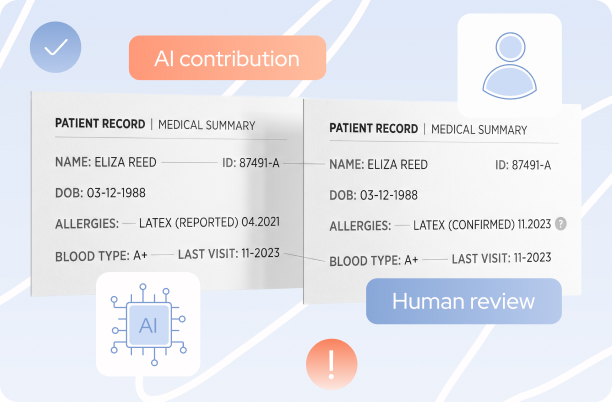
Then a clinician tries it on a real chart. The patient records load slowly, two entries disagree about a medication, and the summary leaves out an allergy that has to be added back by hand.
The model was fast. The workflow was not, because model response time covers one stage of the journey between a click on "Generate summary" and a draft a clinician can trust. Database performance, data preparation, integration, validation, and clinical review decide the rest.
To keep things concrete, picture a hypothetical EHR built around 2011. It runs as a monolithic application on-premises, stores data in a relational database with years of schema drift, and has no dedicated application programming interface (API) layer. The architecture is a realistic example, not a claim about every system of that period.
Read on to discover how to measure where the time goes and which parts of the system to modernize first.
What does a 15-year-old EHR look like technically?
The hypothetical 2011 EHR is one application that handles patient records, clinical workflows, permissions, and screen rendering on top of a single relational database, with no reusable service for reading patient data. That shape is common in systems that grew feature by feature, and it explains most of what happens when a new AI feature arrives.
One application, many responsibilities
Here is what the monolith carries, and why each item matters to a new feature:
- Business rules live next to application code and database queries, so reusing a rule means copying it.
- On-premises infrastructure sets fixed limits on compute, storage, network throughput, and deployment speed.
- Patient data has collected local fields, historical formats, duplicated values, and inconsistent definitions.
- External integrations use custom interfaces, direct database access, or scheduled exports, with no stable API in front.
Why does the architecture matter for AI?
A model needs a consistent, authorized view of the relevant patient history. The EHR may have no service that returns diagnoses, medications, observations, and notes together, so a direct model connection means new database queries, field mappings, access checks, prompt construction, and output handling before the first summary appears.

The missing service layer is what turns a collection of legacy database tables into a reliable input for AI.
Say a clinician requests a patient summary: a dedicated service can retrieve diagnoses, medications, allergies, and recent notes, normalize the fields, check access permissions, and send a structured request to the model.
Without this layer, the AI feature needs custom logic to fetch and interpret records on its own, adding more code to maintain and more places for errors to creep in. The model may be ready, but the system around it still needs work.
What does it take to generate a clinical summary from patient records?
A clinician opens a patient record and asks for a summary of recent diagnoses, medications, allergies, encounter notes, and relevant observations. The summary should appear inside the existing EHR, link back to its source records, and stay a draft until the clinician reviews it.
What needs to exist before the first model call?

Six pieces of engineering have to be in place:
- Structured access to the relevant records, with permissions enforced at retrieval time.
- Normalization for inconsistent dates, local codes, medication formats, and historical entries.
- A defined input scope, so the model receives the relevant records and not an export of the whole chart.
- Tracking of model and prompt versions, plus provenance linking each output to its sources.
- Audit records for the request, the output, the review, and any later correction.
- Latency, availability, timeout, and fallback requirements suited to the clinical workflow.
What should the performance target measure?
The target should cover the clinical task and not only the model call. Time to the first generated text and time to a complete, validated draft are different numbers, because a streamed response can start quickly and finish late.
The requirement should also say what happens when a database query times out, the model service is unavailable, or required patient information cannot be retrieved. A clear fallback, such as showing the chart as it is today, keeps the clinician working as the feature recovers.

Thus, a practical performance target should define four things:
- End-to-end latency: Time from the clinician’s request to a complete, validated draft.
- Generation speed: Time to first text, measured separately from full completion.
- Load requirements: Acceptable response times under normal and peak demand.
- Failure handling: What happens during database timeouts, model outages, or missing data, including fallback to the existing chart.
These measures keep the performance target tied to a usable clinical workflow, not model speed alone.
Where do the seconds go in one request?
The seconds go to four stages: retrieving the records, assembling and normalizing them, generating the text, and validating and rendering the result. Following one request from click to usable summary shows which stage deserves engineering time first.
Stage 1. Patient-record retrieval
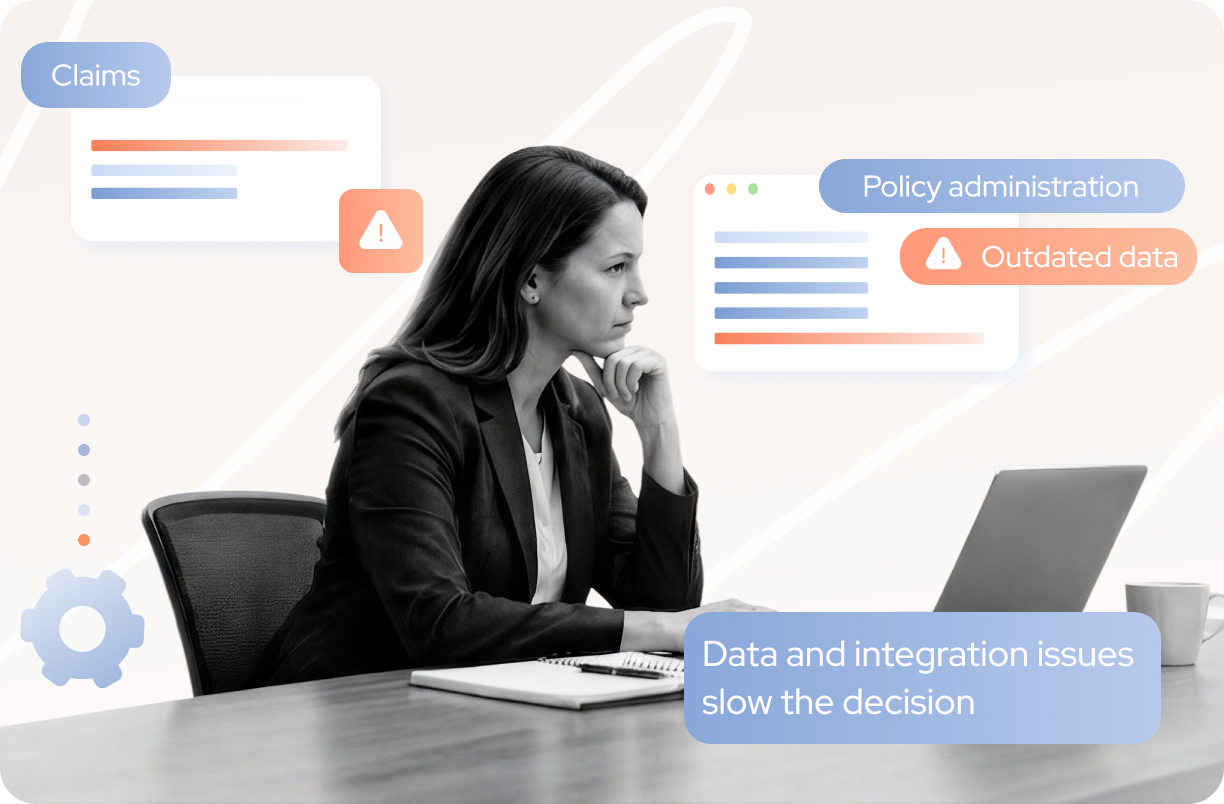
Retrieval is slowed by expensive queries, repeated database calls, locks, slow disk access, and waits for a free connection in the pool. A feature that requests several record categories also adds load to a database that is already serving routine clinical transactions.
A pilot at a hospital in Belgium shows where the trouble starts. Its AI assistant, described in PLOS Digital Health in December 2025, read structured EHR data through the Fast Healthcare Interoperability Resources (FHIR) standard, with access scoped to each user’s role and patient.
The model was not the weak point. Users still complained about latency, and one summary missed a result because pathology data was not indexed correctly in the hospital’s FHIR implementation. The model could not summarize what the data path never delivered.
Collect the following metrics:
- Query duration
- Connection wait time
- Timeout count
- Returned row count
- Retry frequency
Stage 2. Record assembly and normalization
The integration layer gathers information stored in separate tables or modules, reconciles field definitions, removes duplicates, and prepares one consistent input. Poor structure adds processing time and more chances for a wrong interpretation. Large histories also inflate the prompt.
Track the following metrics:
- Assembly time
- Query count
- Input token count
- Missing-field frequency
- Normalization error rate
Stage 3. Model generation
Model latency depends on the model, the prompt size, the output length, and the load on the deployment. Microsoft's guidance on performance and latency in Azure OpenAI names these factors and defines three metrics that make them measurable: time to first token (TTFT), time between tokens (TBT), and time to last token (TTLT). The page gives the relationship as a formula.
TTLT = TTFT + (TBT x tokens generated)
A prompt packed with years of clinical notes raises TTFT, and a long summary raises the second term. Streaming reduces the wait for the first words but leaves the time to the last token unchanged, so the clinician still waits for a complete draft.
Stage 4. Validation, audit, and rendering
After generation, the application may check required fields, keep source references, record model and prompt versions, write audit events, and render the text in a legacy screen. Synchronous audit writes, extra requests to fill the screen, and retries after failed calls all extend the total time. A model that finishes quickly does not mean a draft is ready for review.
Here is a response-time budget to fill in once the hypothetical system has been profiled. The empty column is deliberate, since the numbers belong to your system and not to an industry average.
Once the column is filled in, the largest number shows where modernization pays back first.
What do recent clinical studies say about time savings?
Recent studies show that AI can reduce one task without shortening the whole clinical workflow. Four 2026 publications stood out to our team, and here is what we found most notable in each:
- An EHR-integrated note summarizer in an emergency department cut mean record-review time by about a minute per work period, a change that was not statistically significant. The tool read unstructured notes only and left out lab values and vital signs.
- Clinicians rated 28 of 62 AI-generated oncology summaries as insufficiently thorough, and 13 of the 25 reported errors affected treatment.
- An ambient AI scribe in Singapore cut documentation time by 15%, yet total visit time did not change significantly, because the scribe was not integrated with the EHR and clinicians moved text by hand.
- In a Dutch academic hospital, 292 AI discharge summaries matched physician-written ones on correctness but scored lower on completeness, and reviewers rejected 3.1% of them.
From a modernization standpoint, the pattern across these studies is consistent. The generation step worked, and the workflow around it decided the outcome. A summarizer that cannot see lab values still sends the clinician into the chart, and a scribe that cannot write into the EHR still leaves copy and paste.
Completeness matters more than an average score suggests. A summary that is correct but misses one result sends the clinician back to the full record, and trust drops with every gap. That is why TYMIQ treats full data coverage and source links as part of the feature itself.
None of these studies tested a legacy EHR, and each is small or specific, so read them as signals and not as benchmarks. The useful next step is to run the same before-and-after comparison on your own system, with a timing for each stage of the request.
Which AI improvements are quick, and which need real modernization?
Some AI features can ship quickly when structured data access, permissions, and integration interfaces already exist, and others need substantial engineering first. Calling a feature a quick win can hide the database, integration, and governance work that makes it dependable.
Work that can move fast when the dependencies are in place:
- Connect an existing, well-defined data service to a model.
- Generate a draft from a limited set of validated records.
- Show the result in an existing UI component.
- Record request status, model version, and source references through current observability and audit tools.
Work that needs infrastructure changes first:
- Build a reliable data-access layer where patient information is reachable only through tightly coupled code or database queries.
- Normalize inconsistent fields and document which source is authoritative.
- Add authorization, service identities, secure transmission, and audit logging.
- Add timeouts, bounded retries, graceful failure handling, and capacity controls.
- Version outputs, keep source provenance, and design clinical review inside the EHR.
- Test under realistic load without slowing routine clinical operations.
The first list is short because it assumes a clean API and consistent data access. Without them, every item on the second list becomes part of the “small” feature.
Where do new inefficiencies appear?
New inefficiencies appear in the work clinicians do after the summary shows up, and in the load the feature adds to systems that were already busy. Five places deserve a look, each with a first move.
- Database competition. Extra queries and record assembly can slow routine EHR operations as well as the AI feature. Read from a replica or a dedicated read interface, and cache stable parts of the history.
- Missing structure. Local codes, conflicting entries, and inconsistent timestamps need reconciliation, and a larger prompt does not always fix that. Normalize at the data layer once, and send the model a smaller, cleaner input.
- Repeated verification. When source references are weak or details are missing, clinicians compare the summary against the chart line by line. Link every statement to its source record so a check takes seconds.
- A second wait in the UI. Legacy screens may need extra round trips or manual copying. Render the draft in the existing screen and save it in one step.
- Inconsistent results. Different outputs for similar requests, and unclear behavior when data is missing, send clinicians back to the full chart. Pin model and prompt versions, and show a clear message when information is absent.
Net savings appear only when the work a fix removes outweighs the work the feature adds.
Visual: a before-and-after workflow with three labels: "Work removed," "Work retained," "Work introduced." It shows where the feature creates net savings and where review cancels them.
How do you measure performance before and after adding AI?
Measure the complete request from the clinician's click to a usable draft, and keep system metrics apart from clinical-workflow metrics. A CTO gets a clearer result from a before-and-after comparison than from a model demo.
Instrument the complete request
Use distributed tracing to time each stage, including database calls, normalization, model requests, validation, audit writes, and UI rendering. Keep patient names, medical record numbers, and raw clinical text out of telemetry by default. Here is a short example that records only counts and a tokenized patient reference.
.png)
For the database side, the OpenTelemetry semantic conventions define client metrics such as db.client.operation.duration, db.client.connection.wait_time, and db.client.connection.timeouts. Together they separate the time a query takes to run from the time it waits for database capacity.
Measure latency, workload, and clinical review separately
Track these, with owners for each:
- End-to-end time from click to complete draft.
- Time to first token and time to last token.
- Database retrieval time and connection-pool wait.
- Input and output token counts.
- Median and 95th-percentile response time.
- Timeout, retry, and failure rates.
- Summary corrections, omissions, rejection rates, and clinician review time.
The Belgian pilot adds a caution: its authors found voluntary user ratings fell off after launch and argue that ratings alone cannot support safety monitoring, so plan structured review sampling.
Test under realistic conditions
Use representative synthetic patient histories that are short, long, incomplete, and conflicting. Test concurrent requests, slow queries, timeouts, an unavailable model service, and failed audit writes. Agree on acceptable latency and availability with the clinical team, since a summary used during a live consultation needs different performance from one prepared before an appointment.
Visual: a dashboard mock-up with two panels, system metrics on one side and clinical-workflow metrics on the other. Keep model latency and clinician review time apart, with no combined number.
What can AI ambition reveal about infrastructure debt?
An AI request can show where an EHR needs work that was worth doing anyway. The feature adds little of its own, and it brings long-standing limits to the surface.
Three of them show up first:
- Query inefficiencies in the database
- Inconsistent patient data across modules
- Missing service boundaries between the application and everything around it
Teams do not have to replace the whole EHR to respond.
Start with the path the AI feature actually needs: controlled access to patient records, reliable data preparation, and an integration layer measured end to end. This keeps the first modernization effort focused on the components required for the feature, with room to expand once the results are clear.

The baseline measurements show which bottleneck to modernize first, so the feature can reach more workflows on a firmer base.
What do teams ask most about AI in a legacy EHR?
Teams planning AI for a legacy EHR tend to bring us the same three questions, and they are good ones. Here are our answers, along with the first thing we would look at in each case.
Why can an AI feature make a legacy EHR slower?
The feature adds database queries, record assembly, validation, and audit writes to a system that already carries clinical traffic, and each step adds time before the clinician sees a usable draft.
Where we would start:
- Read patient data from a replica or a dedicated read interface.
- Cache the stable parts of the history.
How should teams measure AI latency in an EHR?
Time the whole request from click to complete draft, with separate timings for retrieval, normalization, generation, and validation.
Where we would start:
- Add tracing to each stage before changing anything.
- Keep system metrics and clinician review time as separate numbers.
Does faster AI generation mean less time reviewing patient records?
Not by itself. Several 2026 studies found that faster documentation did not significantly shorten total review or visit time when data access and integration were incomplete.
Where we would start:
- Check whether the model sees the full record, including labs and vital signs.
- Link every generated statement to its source, so a check takes seconds.
What should you take away before you start?
The useful measure for an AI feature in a legacy EHR is how quickly the system delivers a complete, validated summary a clinician can use, and that number depends on everything around the model.
Here is the short version for your next planning meeting:
- Profile the full request path before choosing what to modernize.
- Fix retrieval and data preparation first, since they feed every later stage.
- Link every generated statement to its source record, so review stays quick.
- Start with a controlled read interface and widen the feature as the measurements allow.


.svg)


